
Optivis CMSFeatures
Everything a forwarding job needs, from the first quote to the paid invoice.
Optivis CMS is a cargo management system (CMS) for freight forwarders. Quotes, air and sea shipments, pre-alerts, customer tracking, charges, profit and invoices live in one place, and every job shows its stage and its next step.
Early access opens soon: a 14-day free trial of Pro, no card needed
01
Six areas, one job record
Each area works on the same shipment, so a quote's prices, a pre-alert's references and an invoice's lines all come from what's already on the job.
Shipments
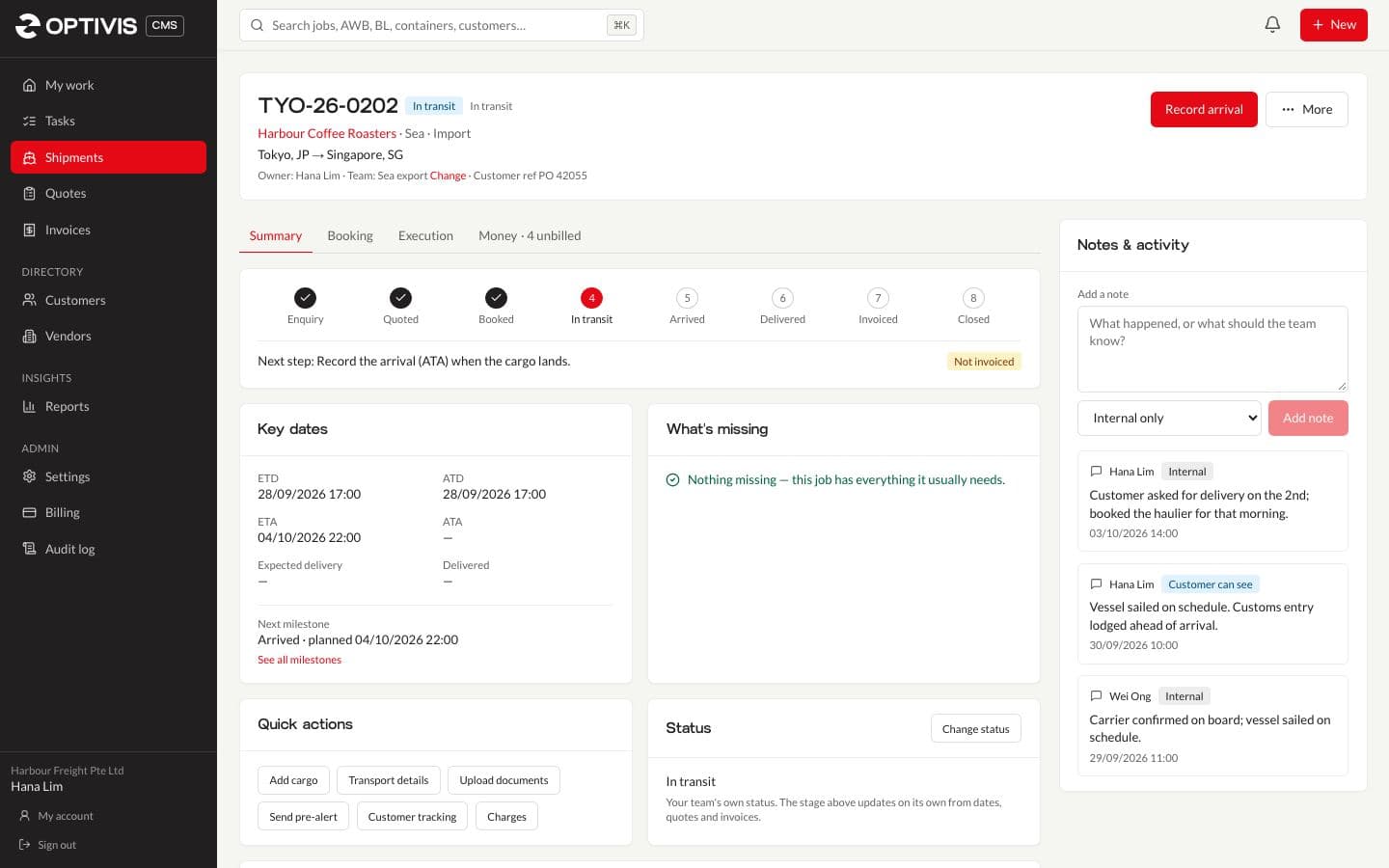
Run every air and sea job through eight stages that update themselves from dates, quotes and invoices, with milestones, a What's missing list and a next step on every shipment.
- Eight stages, set by what actually happened
- One job, four parts
- Create it now, complete it later
Quotes
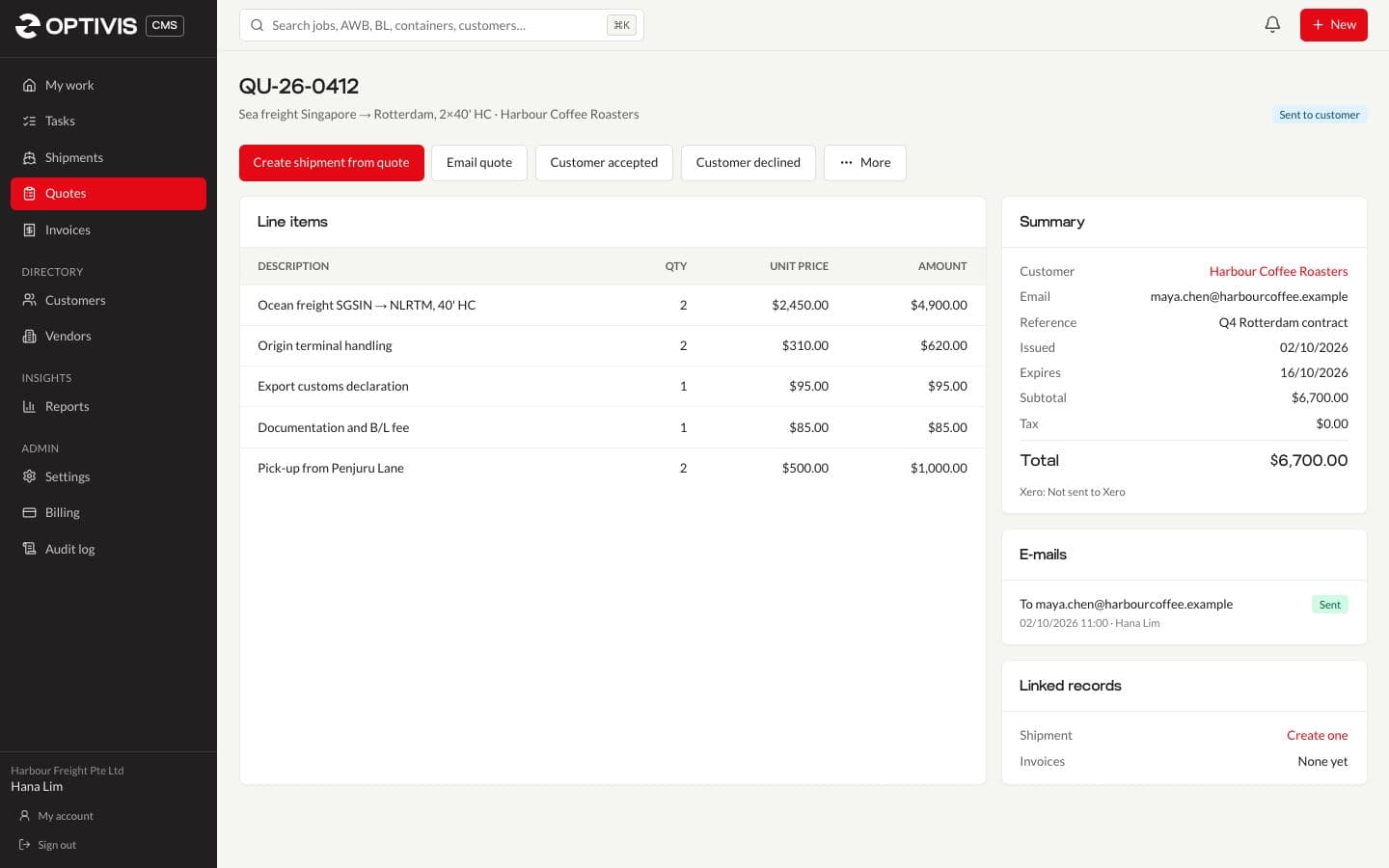
Create freight quotes line by line in any currency, e-mail them as PDFs with a record of every send, and turn an accepted quote into a shipment with its selling charges filled in.
- Line by line, in any currency
- E-mailed as a PDF, with every send kept
- Accepted becomes a shipment, already priced
Pre-alerts
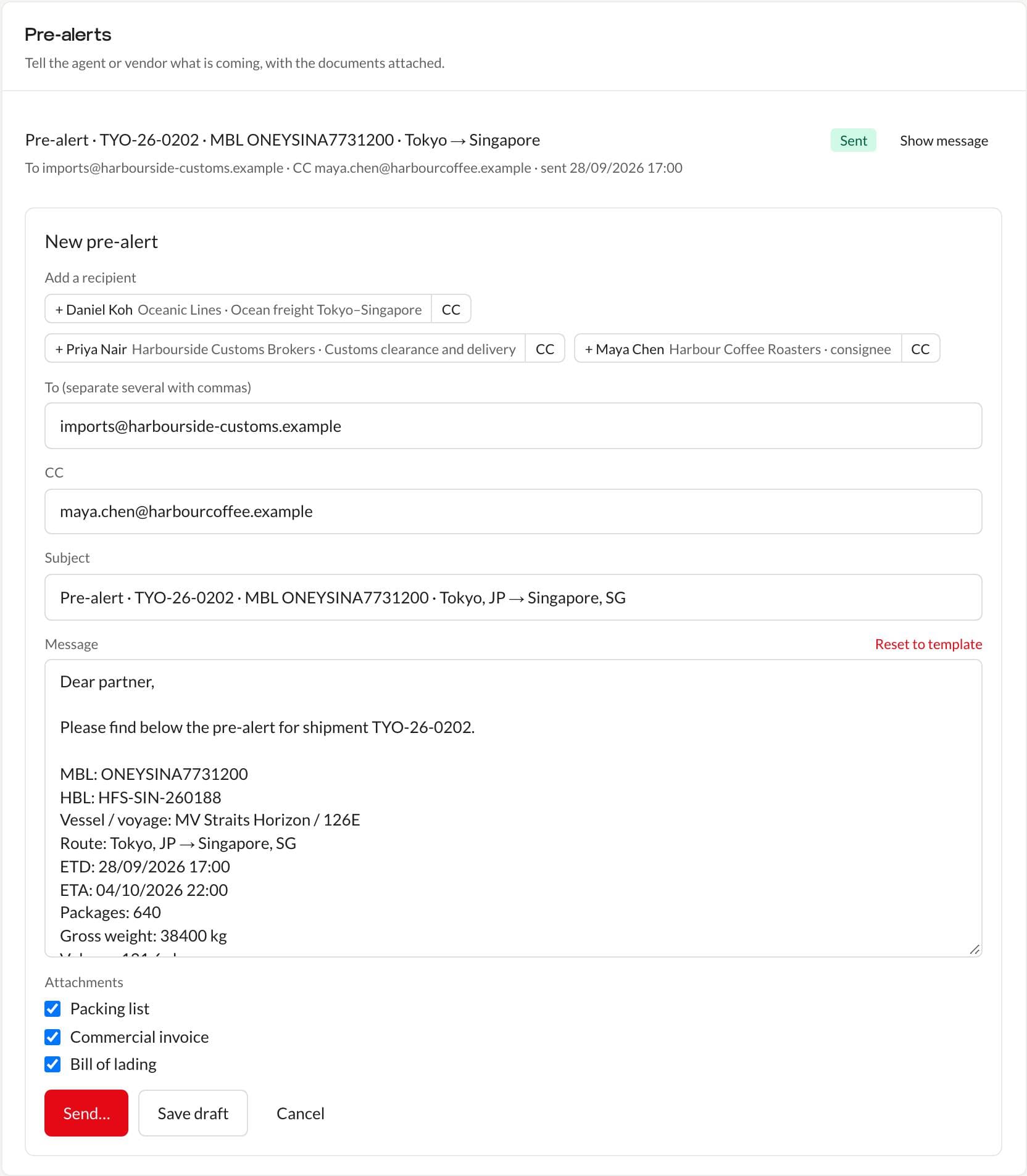
Send pre-alerts from the shipment: the message fills in from the job's air waybill or bill of lading, route, dates and cargo, the documents attach with a tick, and every pre-alert is kept.
- The message is written from the shipment
- Documents uploaded once, attached with a tick
- A confirmation before sending, and a record after
Customer tracking
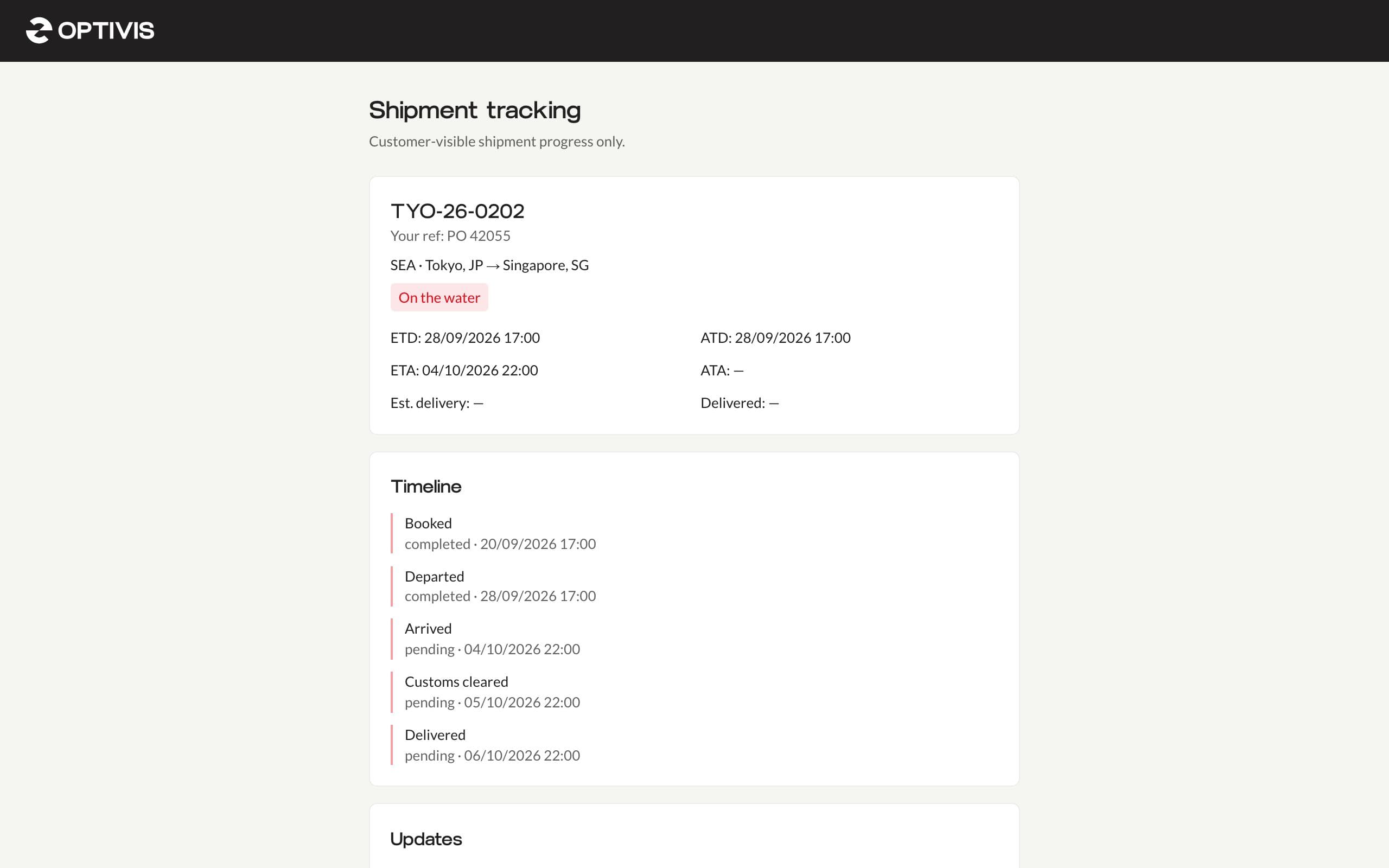
Share a tracking link for any shipment: your customer sees the route, dates, chosen milestones, your updates and their documents, with an optional PIN, an expiry date and a view count.
- What your customer sees, and nothing else
- You choose, milestone by milestone
- A PIN if you want one, and an off switch
Invoicing and profit
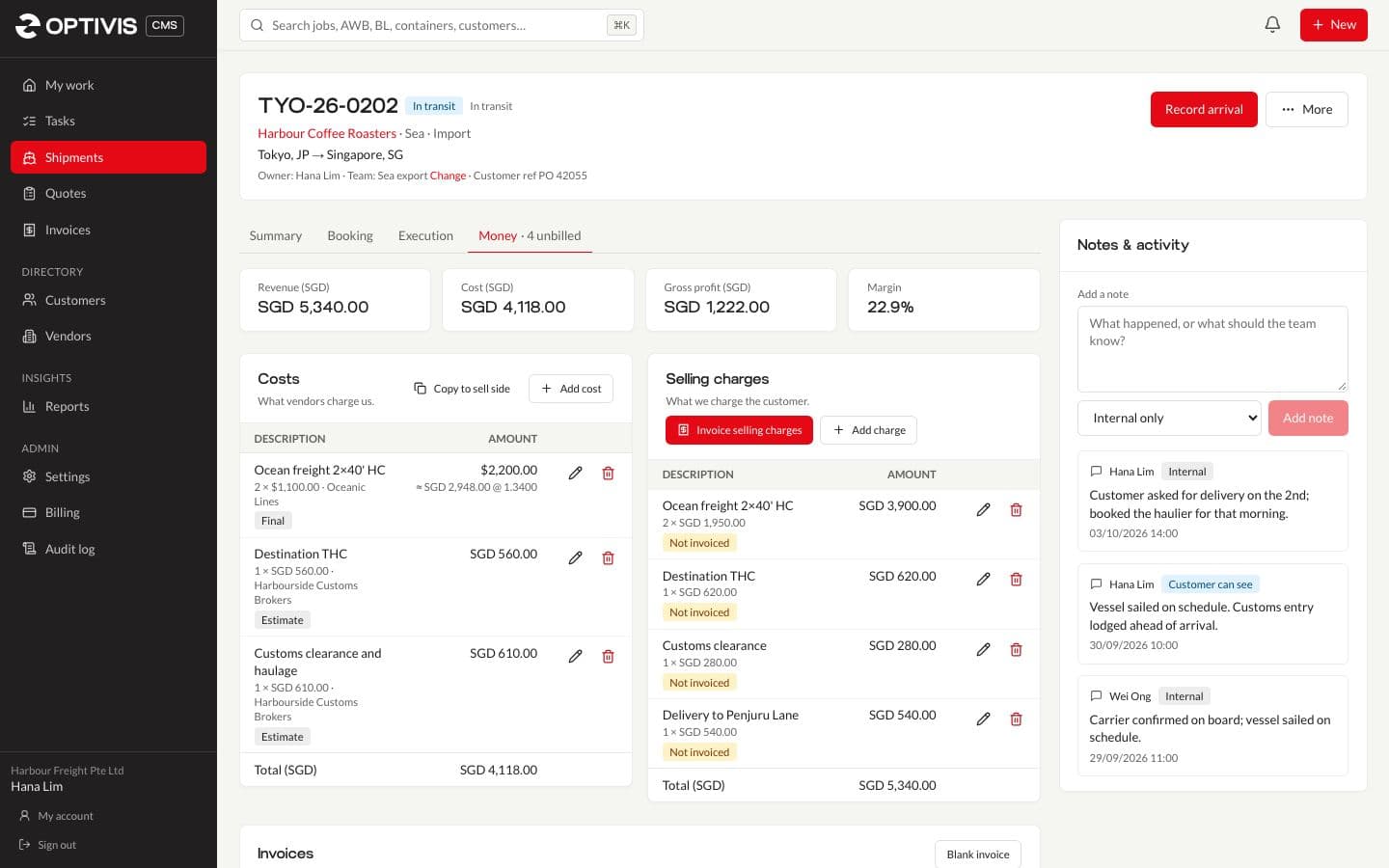
Enter costs and selling charges in any currency on each job, see gross profit and margin at once, invoice the selling charges, record payments and send invoices and quotes to Xero.
- Costs and selling charges, side by side
- Profit per job and per customer
- Invoice the job, issue it, get paid
Team and control
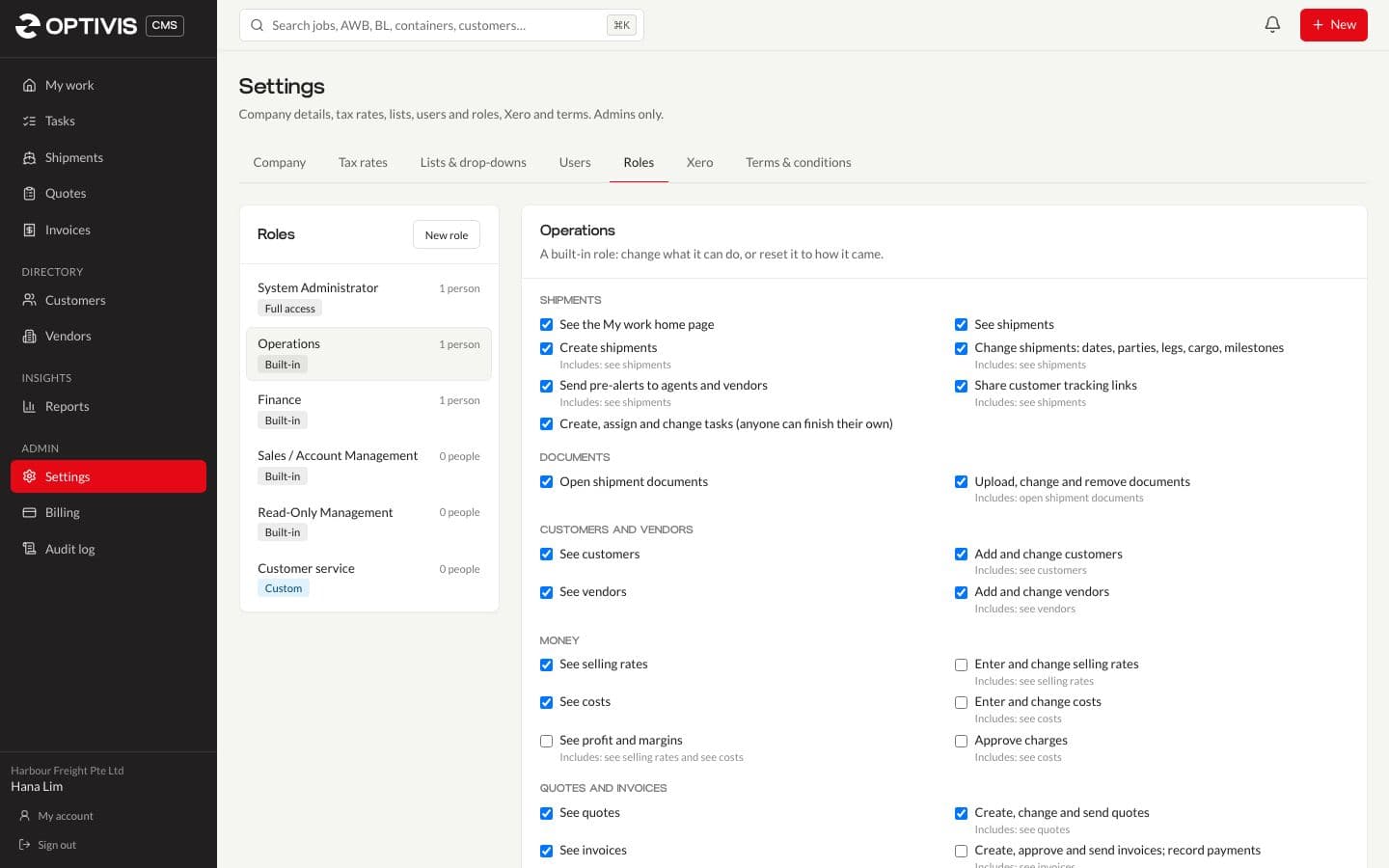
Invite your team, choose exactly what each role can see and change, group people into teams with their own My work view, hand out tasks, and keep an audit log in your own workspace.
- A roles editor in plain words
- Teams, and a My team view
- Tasks, on their own or on a shipment
02
Also on every plan
- Search everywhere
- Ctrl+K, ⌘K or / finds shipments by reference, AWB, B/L or container number, and customers, vendors, quotes and invoices.
- Customers and vendors
- Contacts, addresses and paperwork dates, with a warning 30 days before a vendor's insurance, licence or contract expires.
- Reports
- All shipments, active shipments, overdue milestones and profitability, previewed on screen and downloaded as CSV or Excel.
- CSV import and sample data
- Bring customers and vendors in from a spreadsheet, and load sample shipments to see every stage.
- Overdue milestone alerts
- The shipment's owner gets a notification in the header bell when one of its milestones becomes overdue.
- Data export
- Everything your workspace holds, in one zip, whenever an administrator asks for it.
See your next shipment in Optivis CMS
Set up your workspace in a few minutes, load sample data to see every stage, or look around the live demo first.
Early access opens soon: a 14-day free trial of Pro, no card needed