
Optivis CMSFeaturesCustomer tracking
A tracking page your customers can open without signing in.
Optivis CMS is a cargo management system (CMS) for freight forwarders. Share a link for any shipment and your customer sees its route, dates, the milestones you choose, your updates and the documents you've marked for them.
Early access opens soon: a 14-day free trial of Pro, no card needed
01
Customer tracking in Optivis CMS
What your customer sees, and nothing else
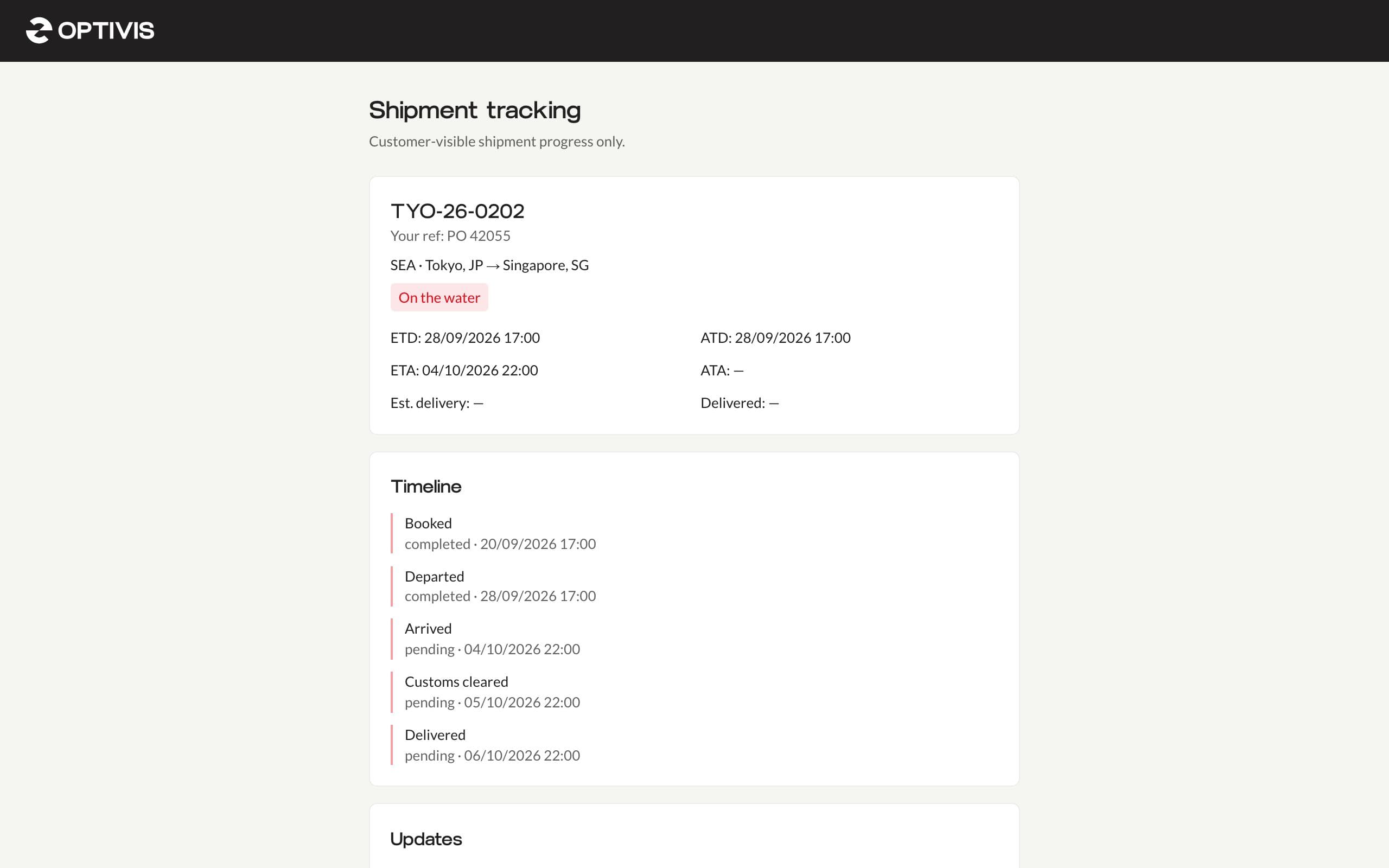
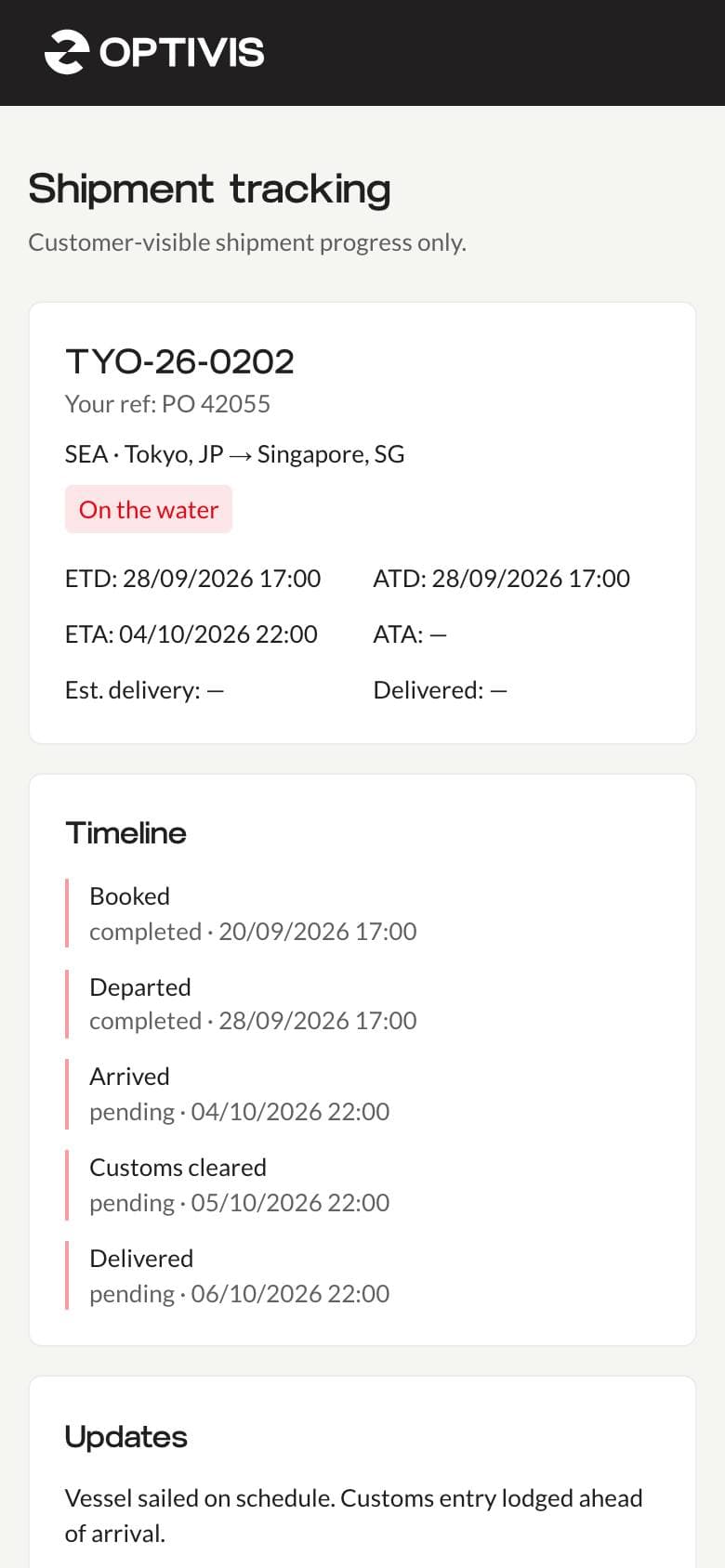
The tracking page shows the shipment reference and the customer's own reference, the mode and route, its status, the departure, arrival and delivery dates, a timeline of the milestones you've made visible, your customer updates and the documents they can download.
- Costs, selling rates, internal notes and internal documents never appear
- Dates are shown in your workspace's timezone and date format
- Works on a phone, with nothing to install or sign in to
You choose, milestone by milestone
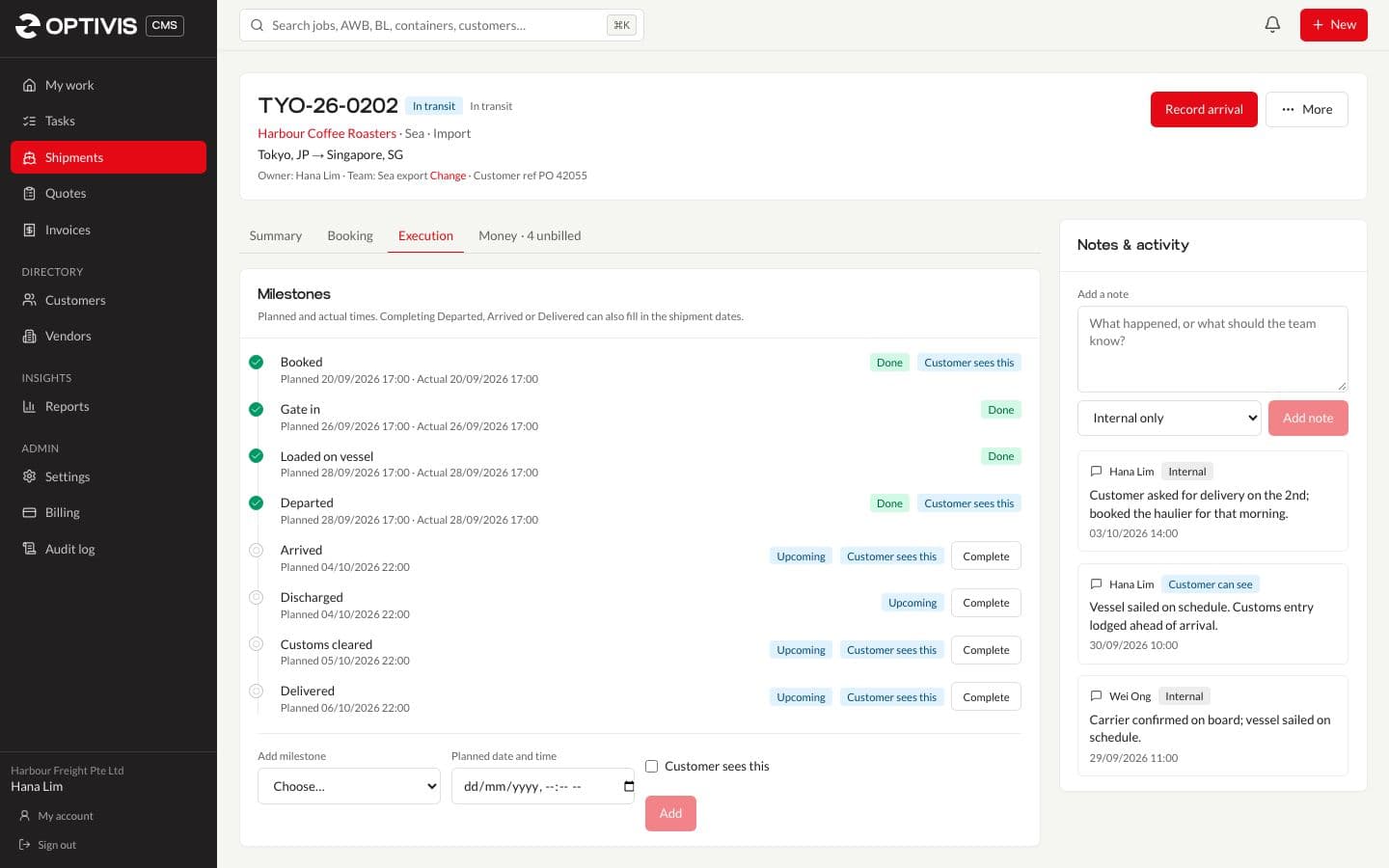
Each milestone, document and note has its own switch. The milestones customers usually care about (booked, received at origin, departed, arrived, customs cleared, delivered) are visible by default; terminal steps such as gate in and loaded on vessel stay internal unless you turn them on.
A PIN if you want one, and an off switch
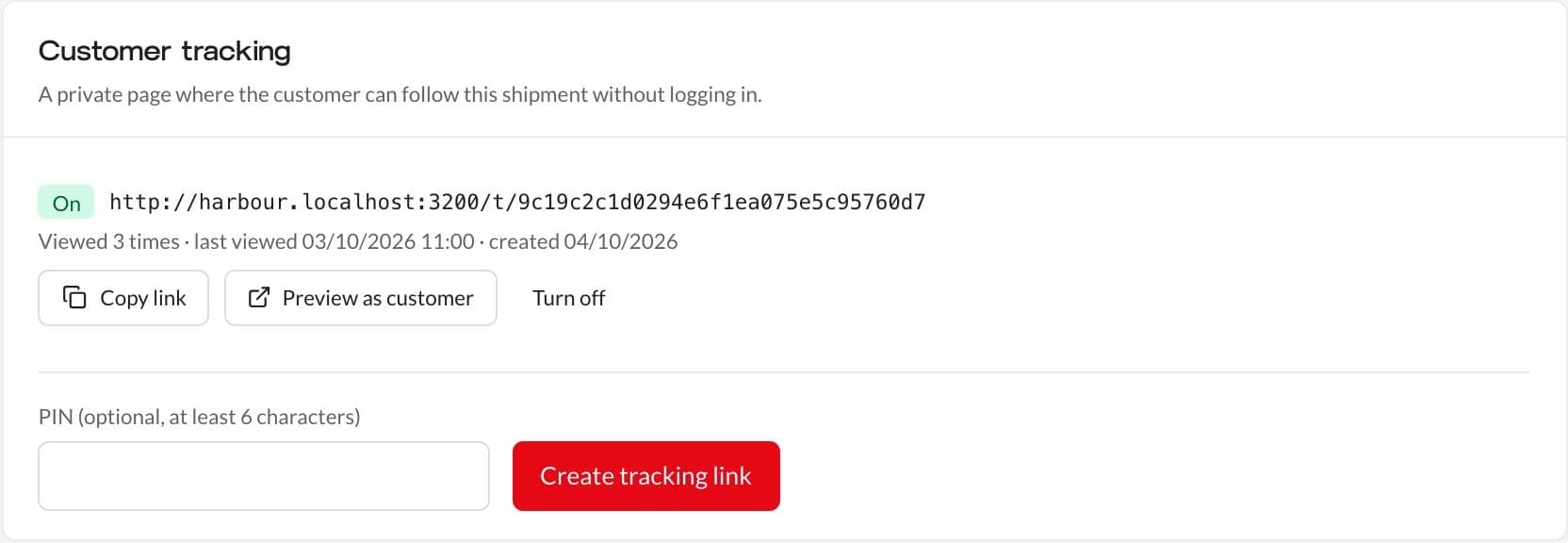
A link can have a PIN of at least six characters and an expiry date, and you can turn it off or replace it at any time. You see how many times it's been viewed and when, and Preview as customer shows exactly what they'll see.
- The PIN is sent in the request, never in the web address, so it doesn't end up in browser history or logs
- Five wrong PINs lock the link for 15 minutes
- Tracking pages are kept out of search engines
02
Questions
- Do my customers need an account?
- No. They open the link in any browser. If you've set a PIN, they type it once to see the page.
- Is the tracking page updated automatically?
- It shows what your team records in Optivis CMS, as soon as it's saved: milestones, dates, customer updates and documents. It doesn't pull events from carriers or airlines.
- Can I stop a link working?
- Yes. Turn it off on the shipment, give it an expiry date, or create a new link, which turns the old ones off.
- Does the link still work if we change our workspace address?
- Yes. Tracking links work on any Optivis CMS address, so links you've already sent keep working.
Give your customers a page instead of an e-mail thread
Create a shipment, mark the milestones they should see and share the link.
Early access opens soon: a 14-day free trial of Pro, no card needed