
Optivis CMSFeaturesShipments
Every shipment, from enquiry to closed, on one page.
Optivis CMS is a cargo management system (CMS) for freight forwarders. Each shipment works out its own stage from what your team records, so everyone sees where every job is and what to do next.
Early access opens soon: a 14-day free trial of Pro, no card needed
01
Shipments in Optivis CMS
Eight stages, set by what actually happened
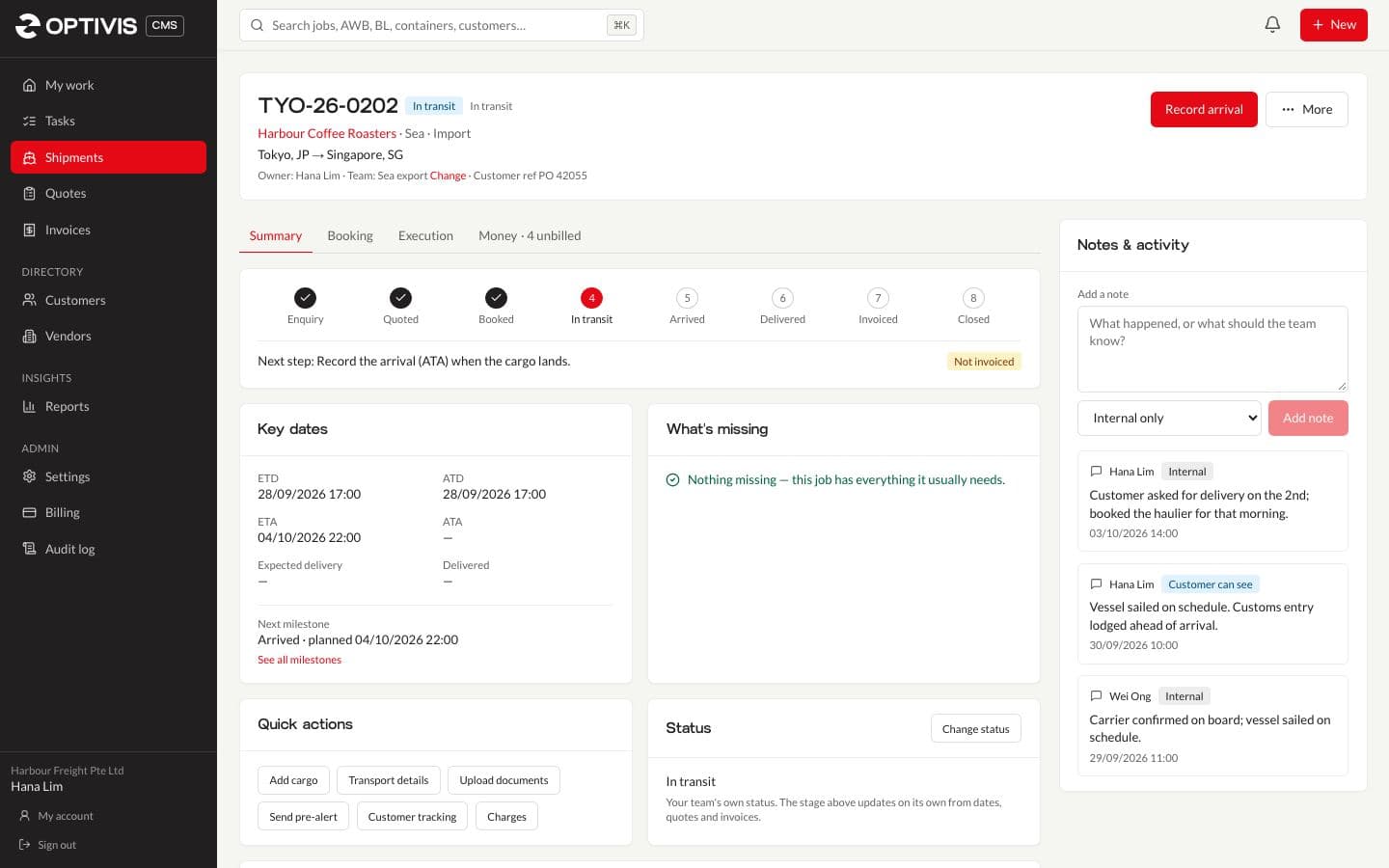
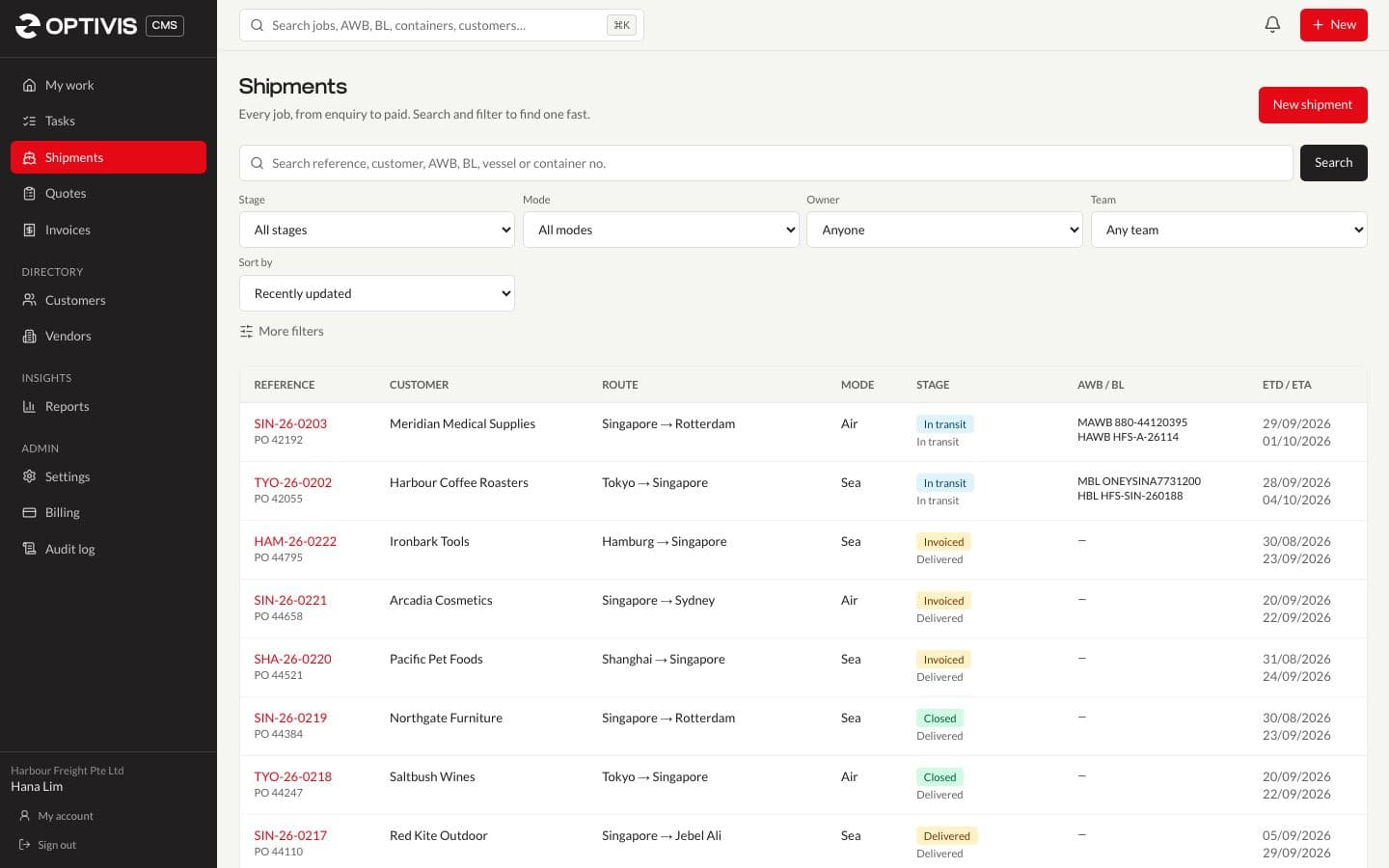
Nobody moves a job along by hand. Recording the departure (ATD) puts a shipment in transit, the arrival (ATA) makes it Arrived, the delivery date makes it Delivered, invoicing every selling charge makes it Invoiced, and the customer's payment closes it.
- Enquiry, Quoted, Booked, In transit, Arrived, Delivered, Invoiced and Closed
- One red button on each job shows the next step: Record departure, Record arrival, Record delivery, Invoice selling charges
- Your own statuses, such as "Customs clearance pending", still show next to the stage
One job, four parts
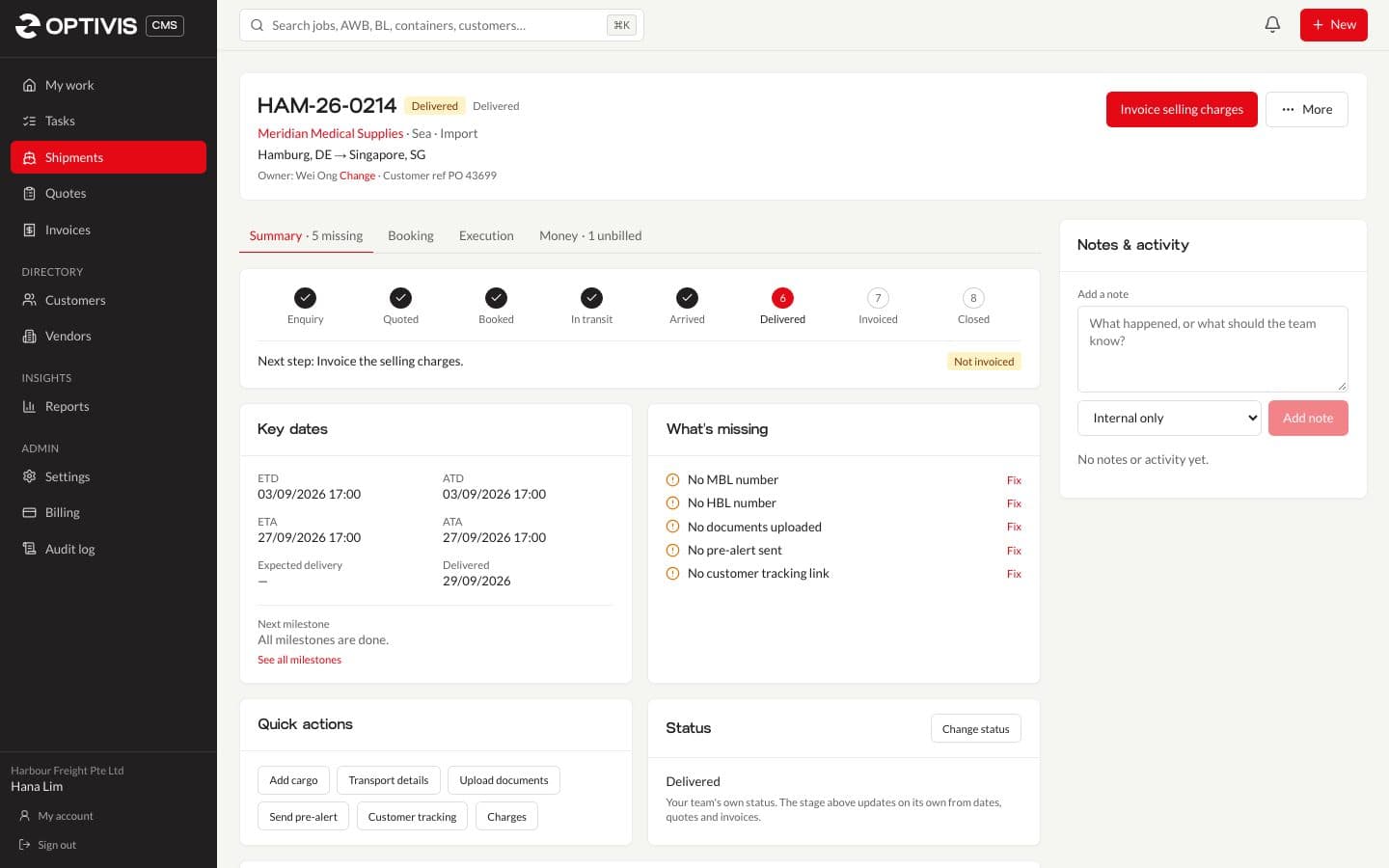
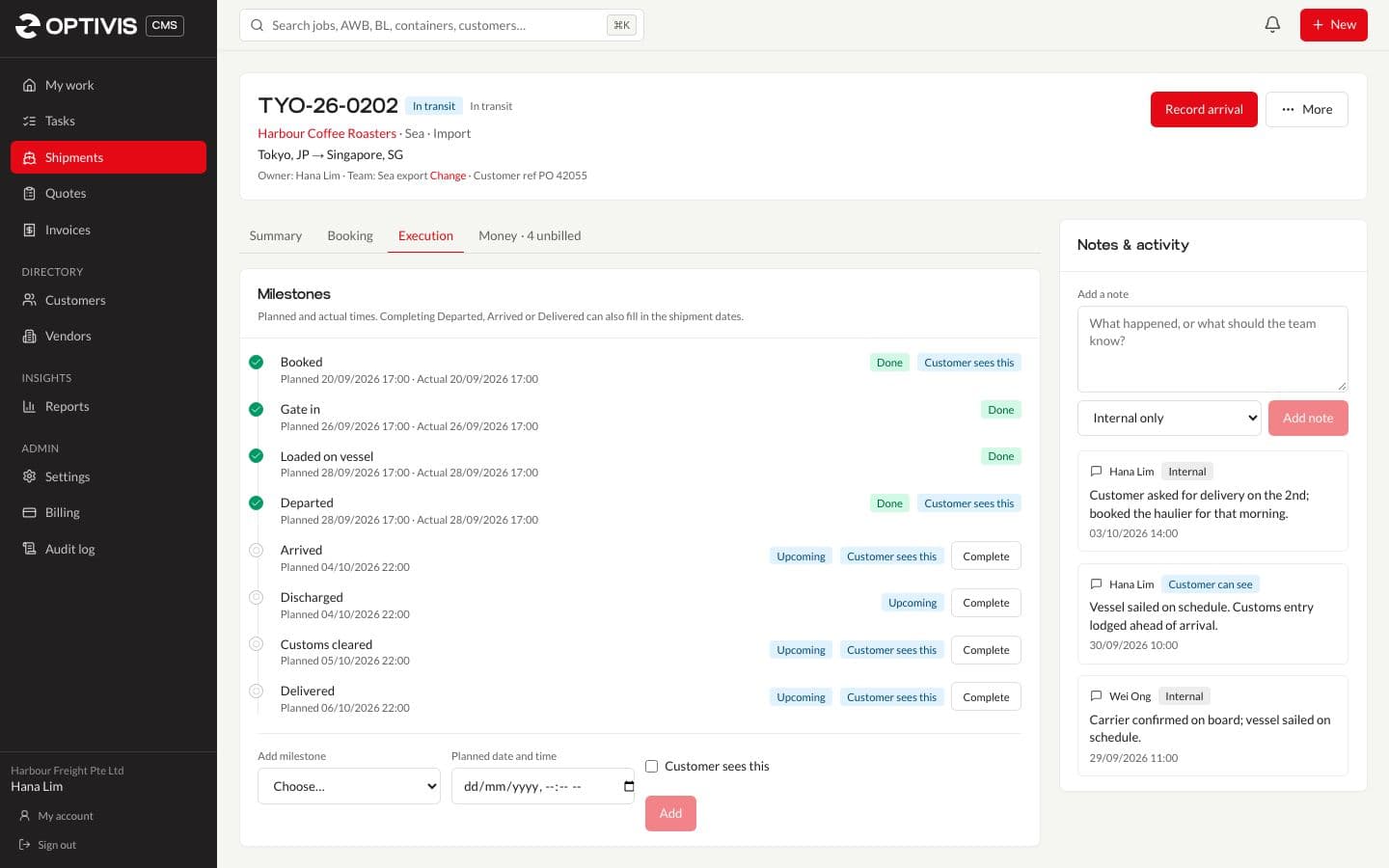
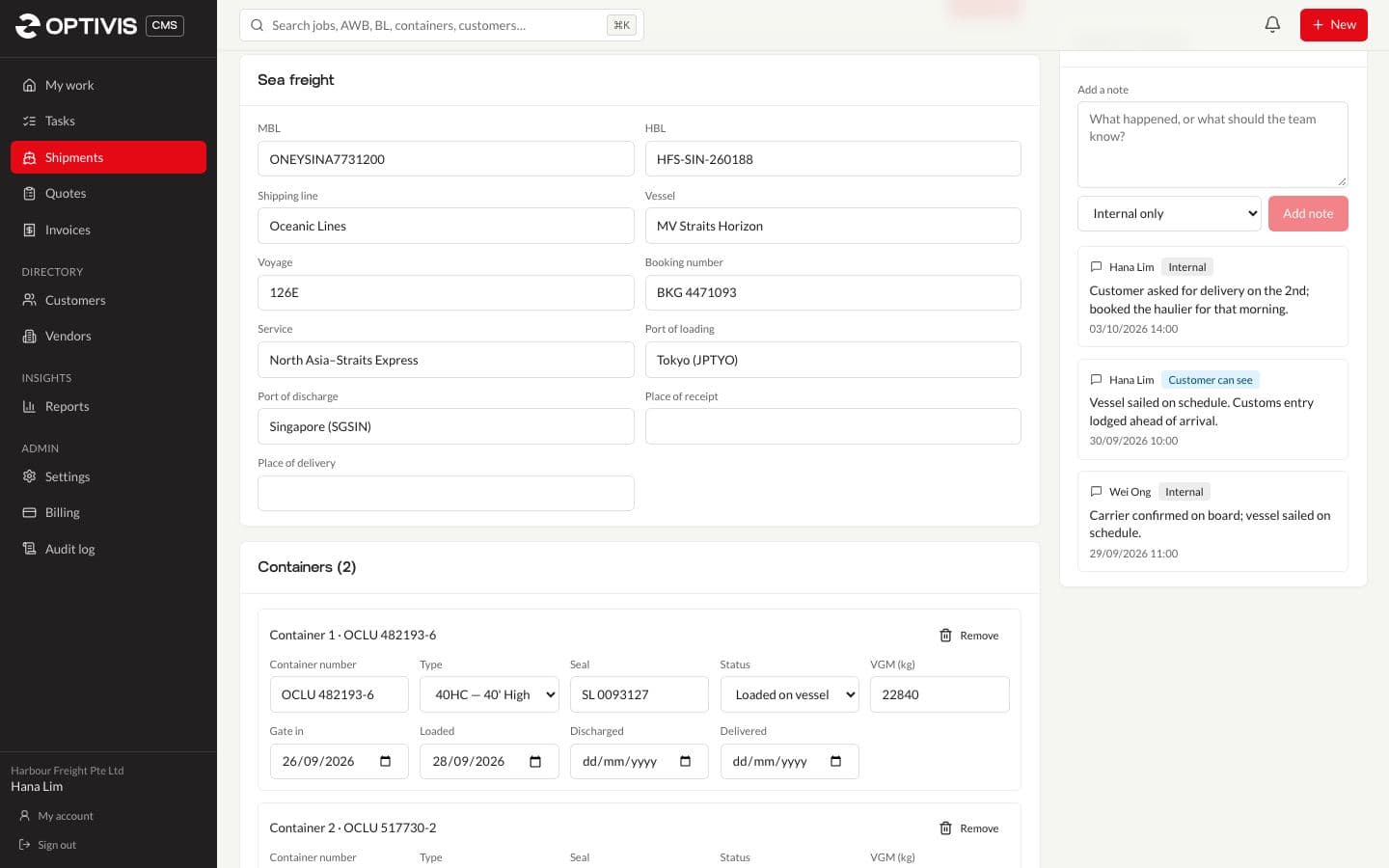
Every shipment page has the same four sections, so people know where to look. Summary holds the stage, key dates and a What's missing list whose Fix links take you to the right field. Booking holds parties, cargo, transport references and legs. Execution holds milestones, documents, pre-alerts and the customer tracking link. Money holds costs, selling charges, profit and invoices.
- Milestones are created for the transport mode when the shipment is, planned from its ETD and ETA
- Completing Departed, Arrived or Delivered offers to fill in the shipment's dates
- Notes are internal, or marked for the customer to see on the tracking page
Create it now, complete it later
A three-step form gets a shipment in quickly: who and how (transport mode, direction, customer, origin and destination with airport and port look-up, dates), what (cargo lines with live volume and chargeable weight), then review. Everything else can wait until you know it.
- Air, sea, road, rail, courier and multimodal; export, import, cross-trade, domestic and transshipment
- Start from an accepted quote and the customer and prices are filled in for you
- Dangerous goods details per cargo line: DG class, UN number and packing group
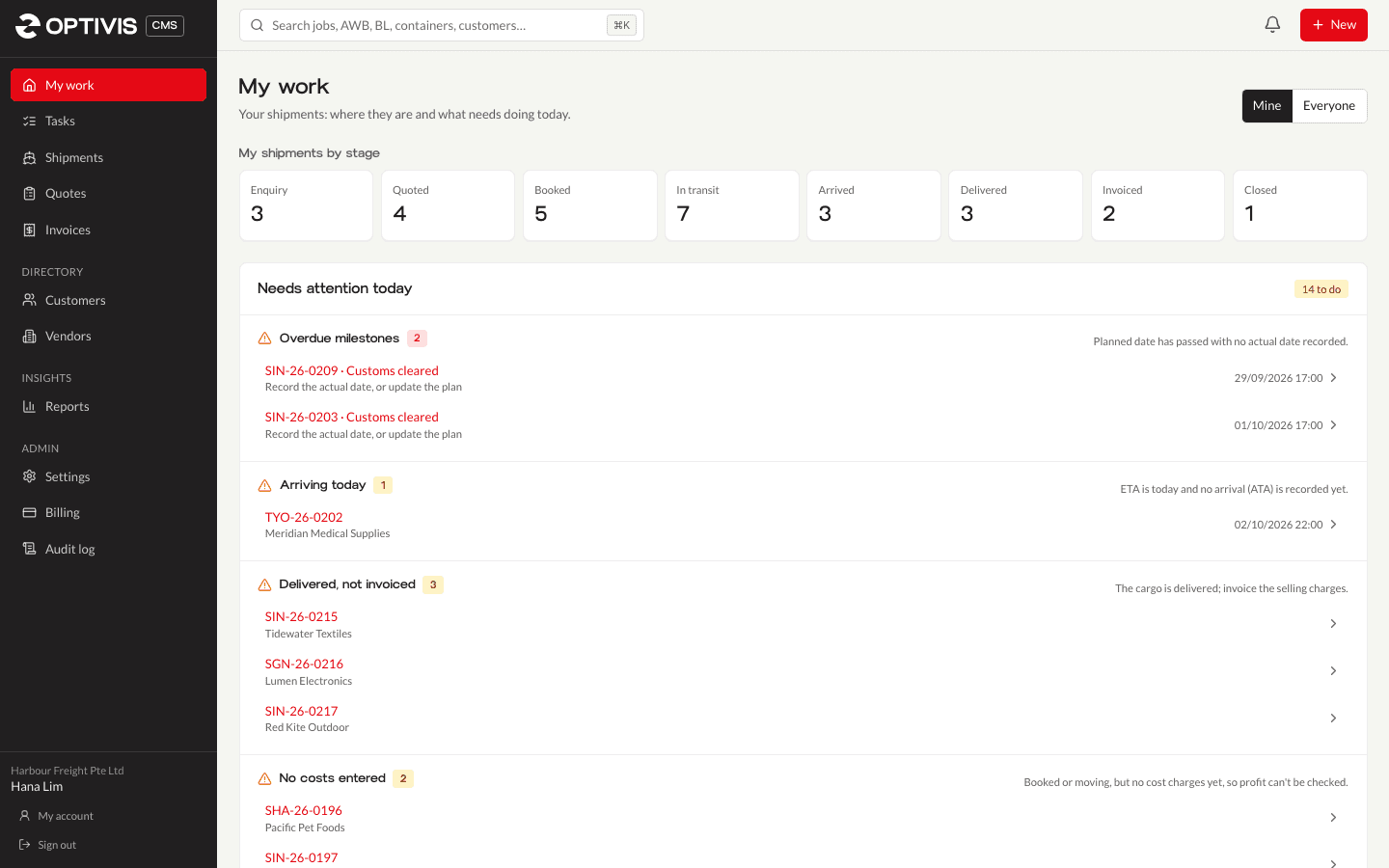
My work shows what needs you today
The home page lists shipments by stage, for you, your team or everyone, and a Needs attention today list: overdue milestones, arrivals today, delivered jobs not yet invoiced, jobs with no costs entered, booked jobs with no pre-alert sent, overdue invoices and tasks due.
Find any job in a few keystrokes
Search sits at the top of every page (Ctrl+K, ⌘K or /) and finds shipments by reference, customer reference, AWB or B/L number and container number, as well as customers, vendors, quotes and invoices. Lists keep their filters in the web address, so a view can be bookmarked or shared.
- Reports for all shipments, active shipments, overdue milestones and shipment profitability
- Preview a report on screen, then download it as CSV or Excel
02
Questions
- Do I have to update the shipment stage myself?
- No. Optivis CMS works the stage out from what's recorded: a sent or accepted quote, the departure and arrival dates, the delivery date, and whether the selling charges are invoiced and paid. Your own statuses stay as extra detail.
- Which transport modes does Optivis CMS handle?
- Air, sea, road, rail, courier and multimodal. Air and courier jobs have air waybill and flight sector details; sea jobs have bills of lading, vessel and voyage, and containers.
- Does Optivis CMS pull tracking events from carriers?
- No. Dates and milestones are recorded by your team, which keeps every job's stage, alerts and customer tracking page in step with what you know. There are no carrier or airline tracking integrations today.
- Can we use it on a phone?
- Yes. It runs in the browser and every screen works on a phone; the menu button at the top left opens the navigation.
See your jobs move through all eight stages
Load the sample data in a new workspace and every stage has a shipment in it within a minute.
Early access opens soon: a 14-day free trial of Pro, no card needed