
Optivis CMSSolutionsAir freight
Air freight jobs, from MAWB to delivered.
Optivis CMS is a cargo management system (CMS) for freight forwarders. Record the MAWB, HAWB, airline and every flight sector, let it work out chargeable weight with your own volumetric divisor, and send pre-alerts that already quote the air waybills.
Early access opens soon: a 14-day free trial of Pro, no card needed
01
Air freight in Optivis CMS
Chargeable weight with your own divisor
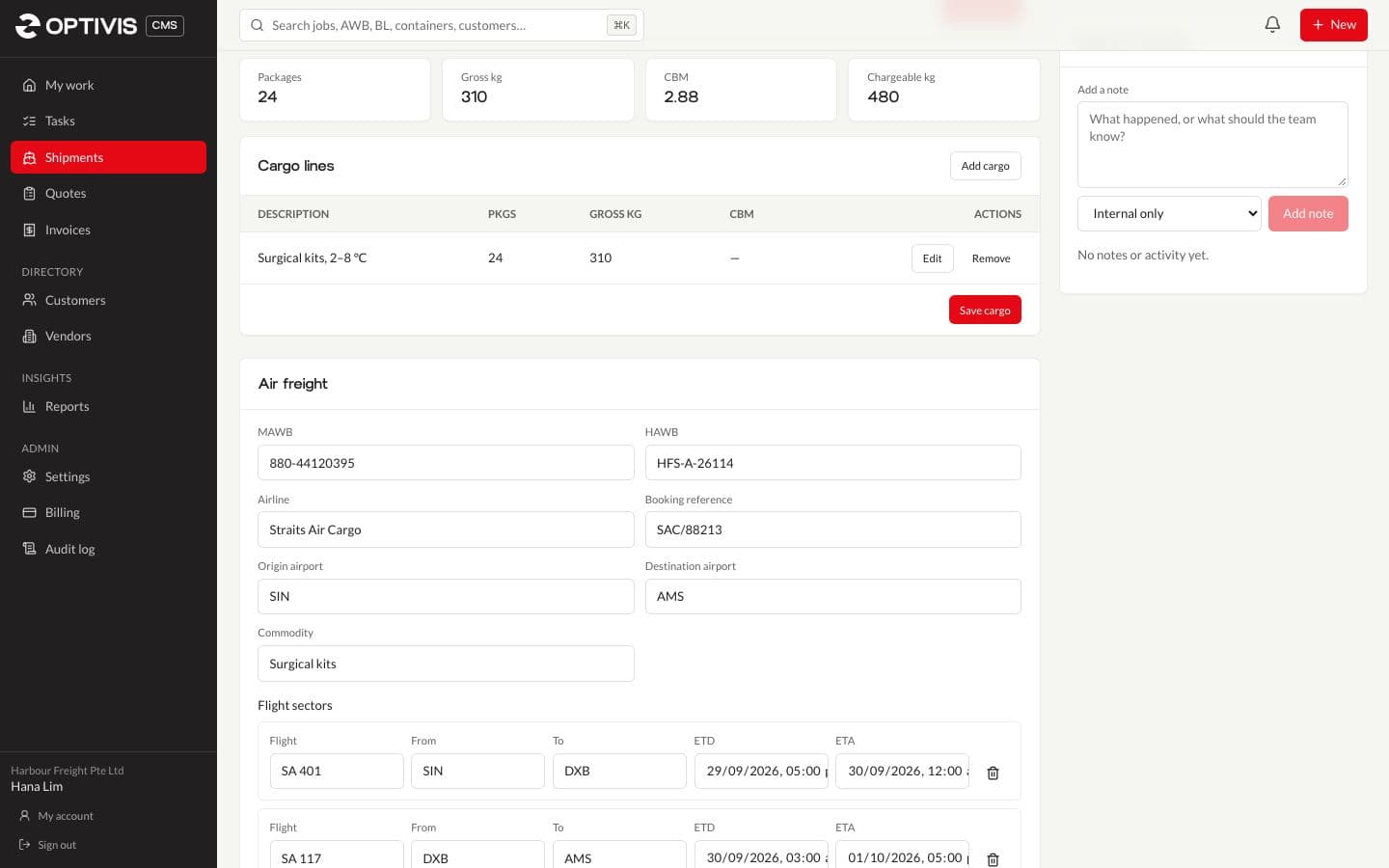
Chargeable weight is the greater of the gross weight and the volume weight, and Optivis CMS works it out as you enter cargo. Volume comes from each line's dimensions times its packages, and volume weight uses your workspace's volumetric divisor: 6,000 unless you change it in Settings.
- Example: 24 cartons of 60 × 40 × 50 cm weighing 310 kg are 2.88 cbm, so 480 kg is charged at 6,000
- Shown live while you create the shipment, and on the job afterwards
- Dangerous goods per cargo line: DG class, UN number and packing group

MAWB, HAWB and every flight sector
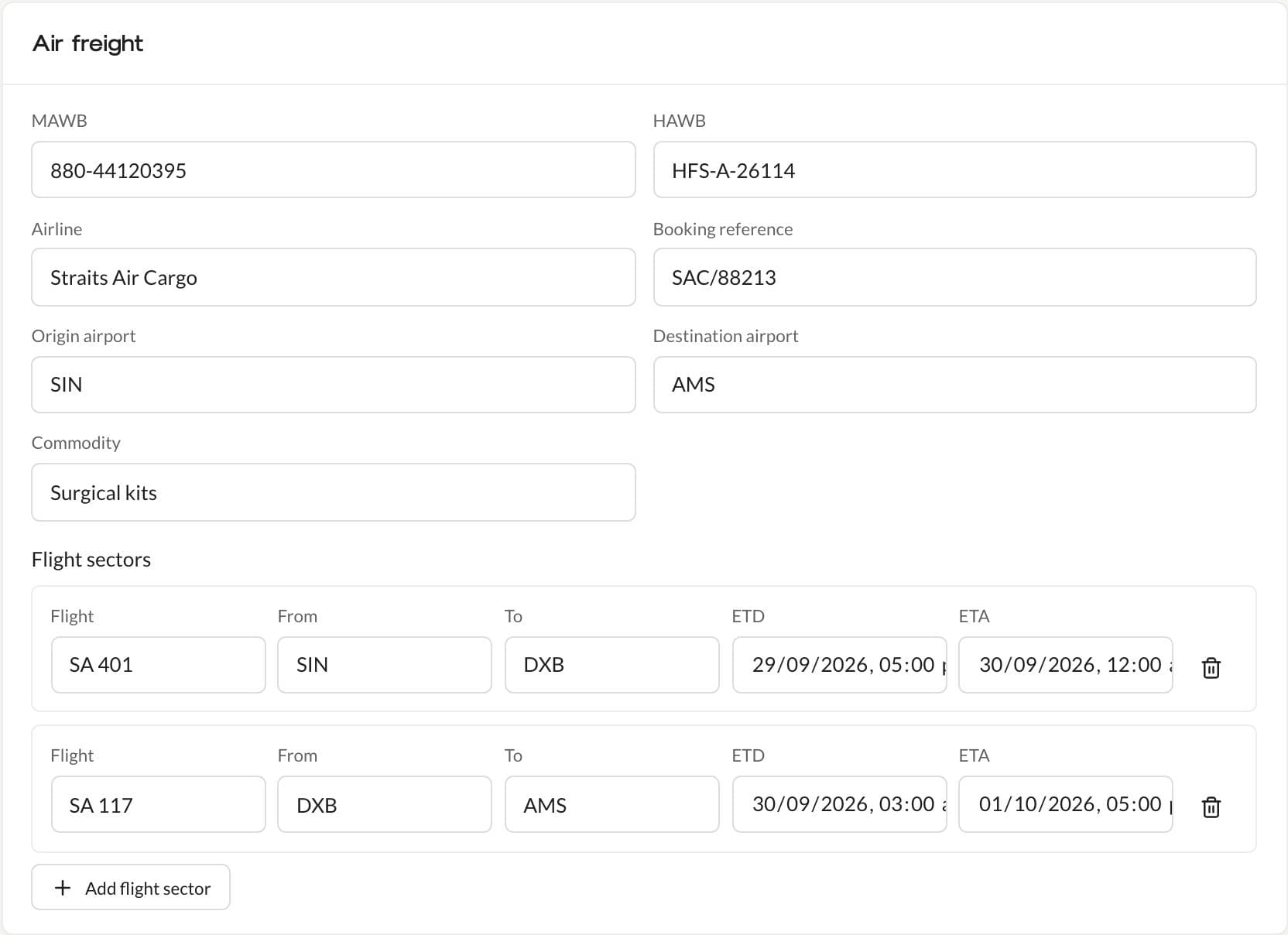
Each air job holds its master and house air waybills, airline, booking reference, origin and destination airports and commodity, and a flight sector for each flight with its number, from, to, ETD and ETA. Search finds a job by its AWB number.
- Airport look-up when you create the shipment
- Courier jobs use the same air details
Air milestones, created for you
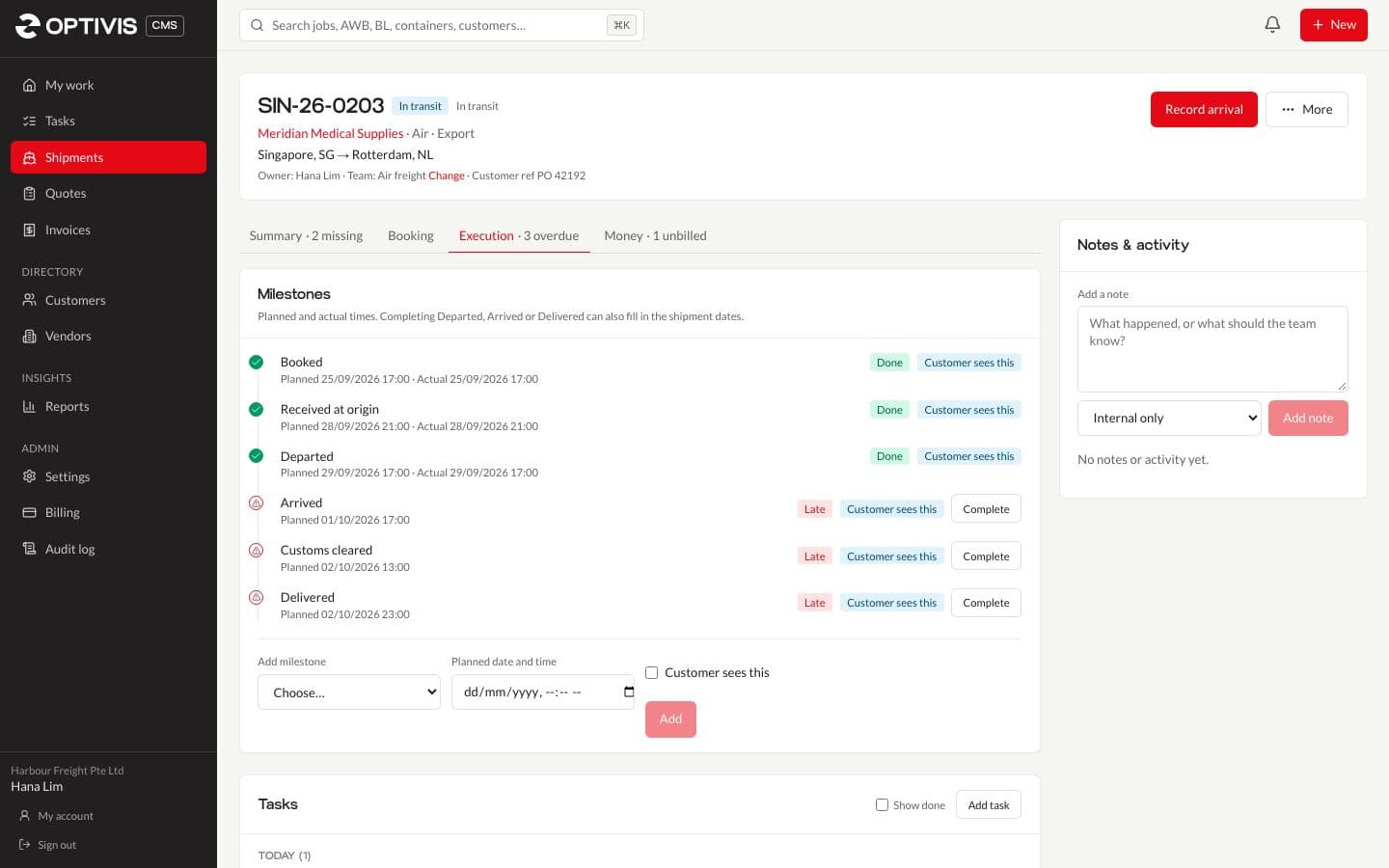
A new air shipment gets the usual air milestones, planned from its dates: booked, received at origin, departed, arrived, customs cleared and delivered. Completing Departed records the ATD, which moves the job to In transit.
Pre-alerts that quote the air waybills
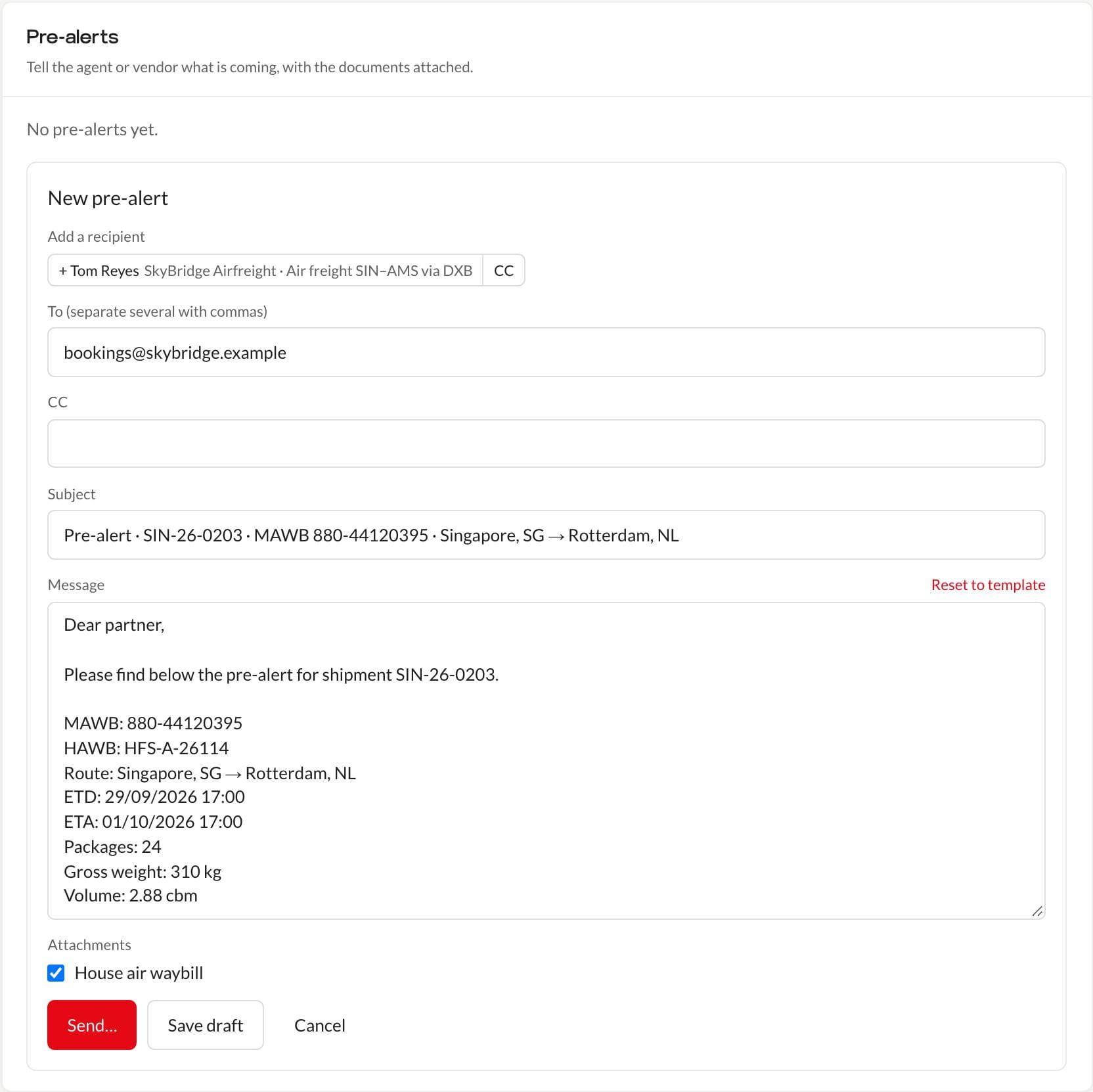
An air pre-alert's subject carries the reference, MAWB and route, and its message lists the MAWB, HAWB, route, ETD, ETA, packages and gross weight. Add the house air waybill and send it to the agent from the job.
02
Questions
- Which volumetric divisor does Optivis CMS use?
- 6,000 by default (1 cbm = 166.67 kg). Each workspace can set its own divisor in Settings, and every chargeable weight uses it.
- Can I record a shipment with a transit stop?
- Yes. Add a flight sector for each flight, with its flight number, airports, ETD and ETA.
- Does Optivis CMS book with airlines or pull flight status?
- No. You record the booking, flights and milestones; there are no airline booking or tracking integrations today.
Put your next air shipment in Optivis CMS
Enter the cargo and see the chargeable weight before you've finished typing.
Early access opens soon: a 14-day free trial of Pro, no card needed