
Optivis CMSFeaturesTeam and control
Give everyone the access they need, and see who did what.
Optivis CMS is a cargo management system (CMS) for freight forwarders. Invite your team, decide what each role can see and change, group people into teams, hand out tasks, and keep an audit log of important changes.
Early access opens soon: a 14-day free trial of Pro, no card needed
01
Team and control in Optivis CMS
A roles editor in plain words
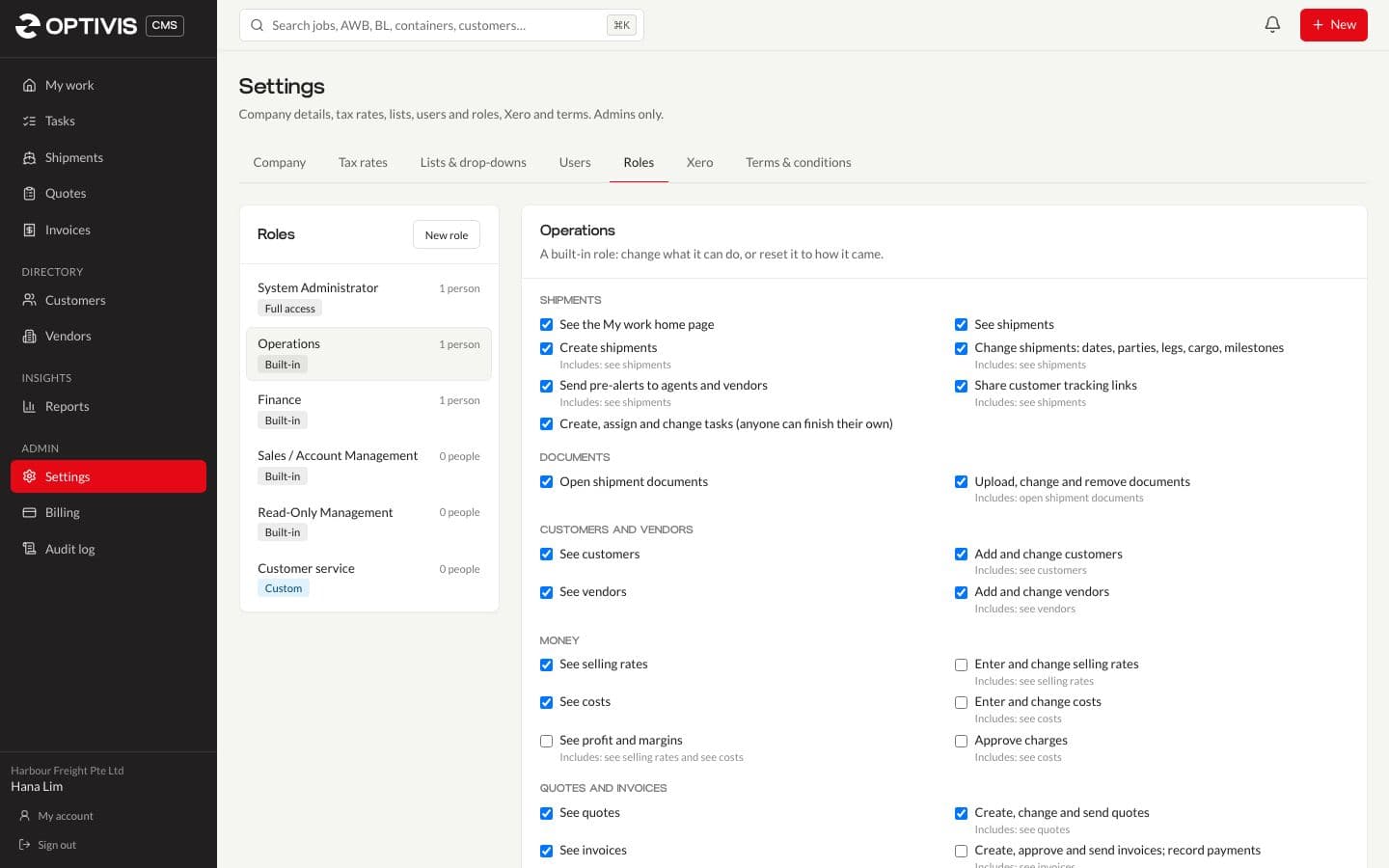
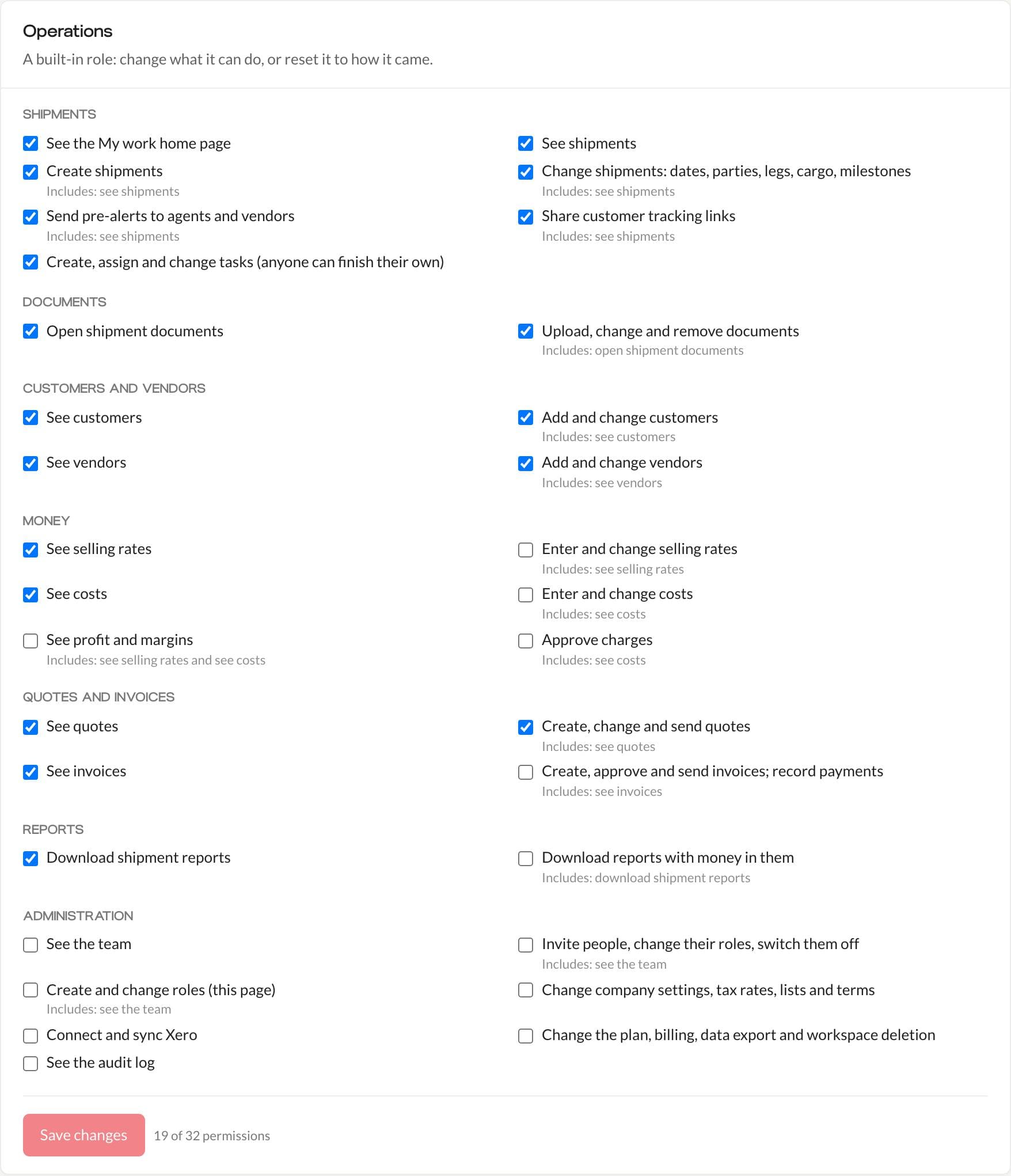
Five roles come built in (System Administrator, Operations, Finance, Sales / Account Management and Read-Only Management) and you can add your own. Each of 32 permissions is described in plain words, such as "See costs" or "Send pre-alerts to agents and vendors", and grouped by area.
- Doing something includes seeing it: ticking Create shipments ticks See shipments too
- Change a built-in role, or reset it to how it came
- Administrators always keep every permission, so nobody locks the workspace out of its own settings
Teams, and a My team view
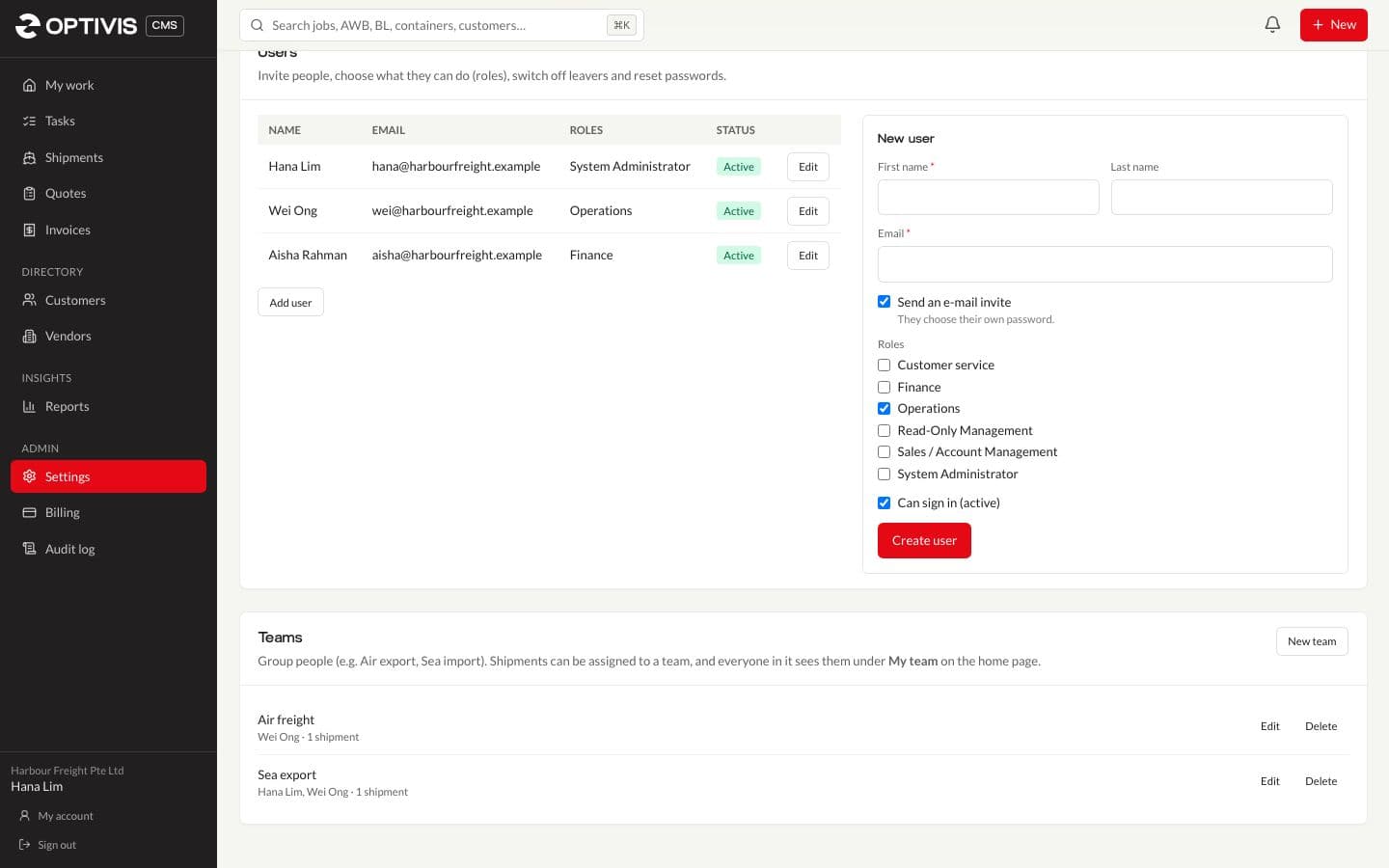
Group people into teams such as Air export or Sea import and assign shipments to a team and an owner. My work and the shipment list then show Mine, My team or Everyone.
- Invite people by e-mail; they choose their own password
- Switch off leavers without losing their history
Tasks, on their own or on a shipment
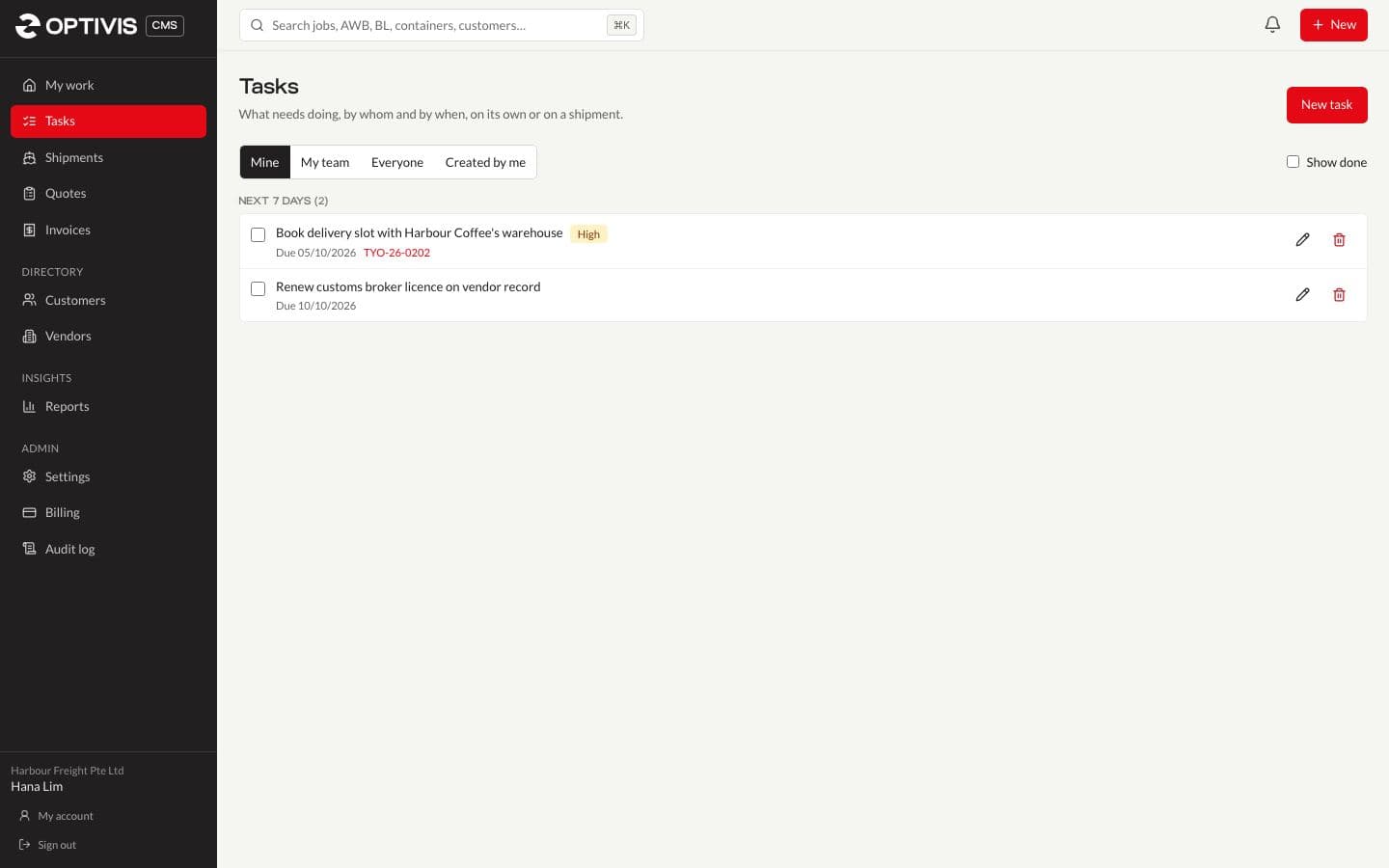
A task has a title, notes, an assignee, a due date and a priority (low, normal, high or urgent), and can belong to a shipment. Tasks due show on My work; anyone can finish their own, and creating and assigning them is a permission.
Your own address, and an audit log
Each company works at its own address, yourcompany.optivis.co, and sessions belong to that address alone. Administrators can rename it; the old address redirects for 30 days. Important changes, e-mails sent from the app and anything Optivis support does are recorded in the workspace's audit log.

Support access only when you allow it
Optivis staff can't open your workspace unless one of your administrators allows it, for 24 hours, view only unless you also allow changes. You can end it at any time, and everything support does appears in your audit log.

02
Questions
- How many people can use a workspace?
- It depends on the plan: Lite has one user, Standard three and Pro five. The 14-day trial has Pro's limits.
- Can I hide costs and profit from some people?
- Yes. Seeing costs, seeing selling rates and seeing profit are separate permissions, so a role such as customer service can work on shipments without seeing margins.
- Can one person belong to more than one team?
- Yes. People can be in several teams, and My team shows the work of everyone they share a team with.
- Can Optivis staff see our data?
- Only when one of your administrators allows it, for 24 hours at a time, and everything they do appears in your audit log.
Set up your team in an afternoon
Invite people by e-mail, give them a role and assign their first shipments.
Early access opens soon: a 14-day free trial of Pro, no card needed