
Optivis CMSFeaturesPre-alerts
Pre-alerts your agents can act on, sent from the job.
Optivis CMS is a cargo management system (CMS) for freight forwarders. Write the pre-alert from the shipment's own details, attach its documents and send it to the agent or vendor, with every pre-alert kept on the job.
Early access opens soon: a 14-day free trial of Pro, no card needed
01
Pre-alerts in Optivis CMS
The message is written from the shipment
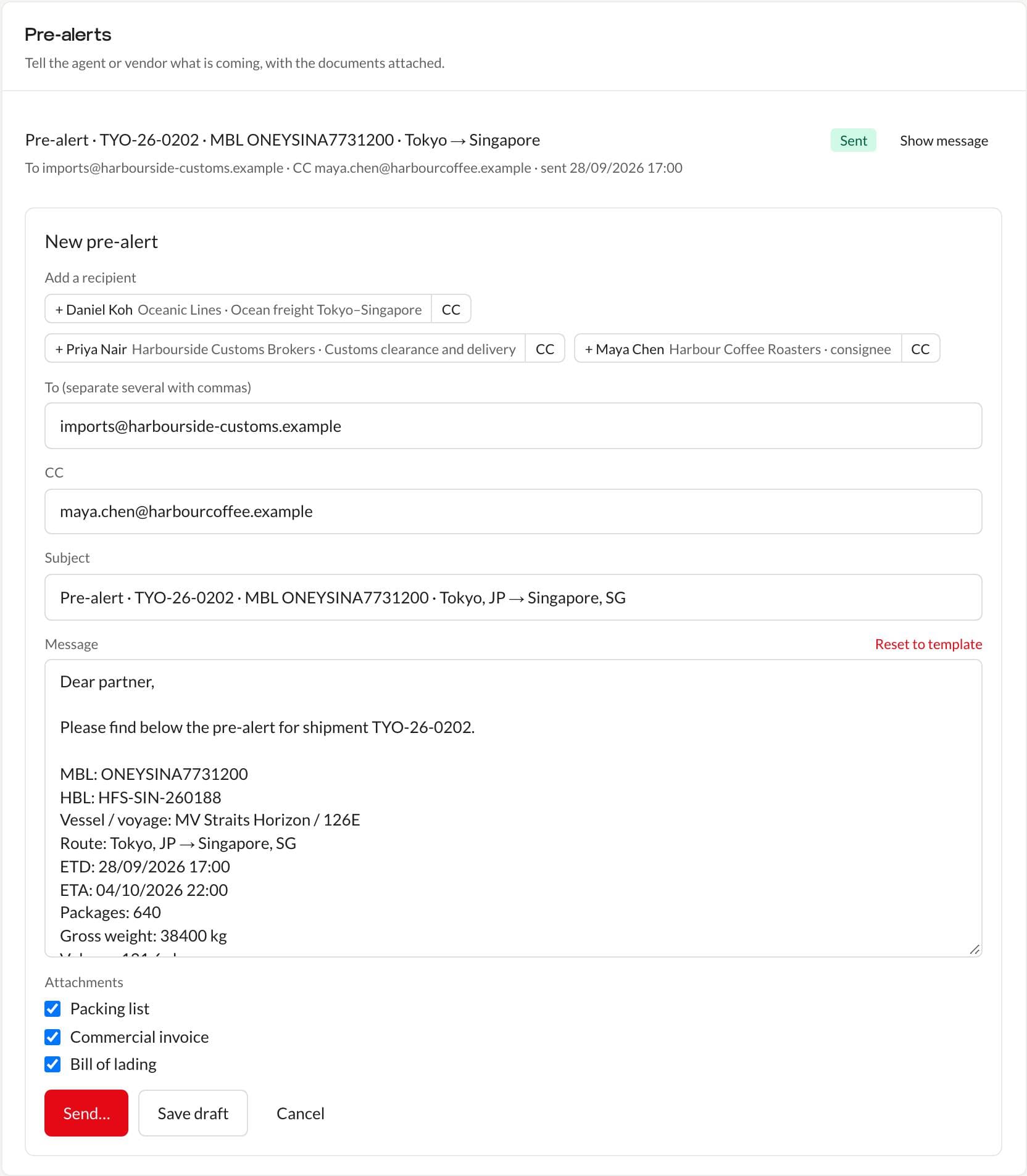
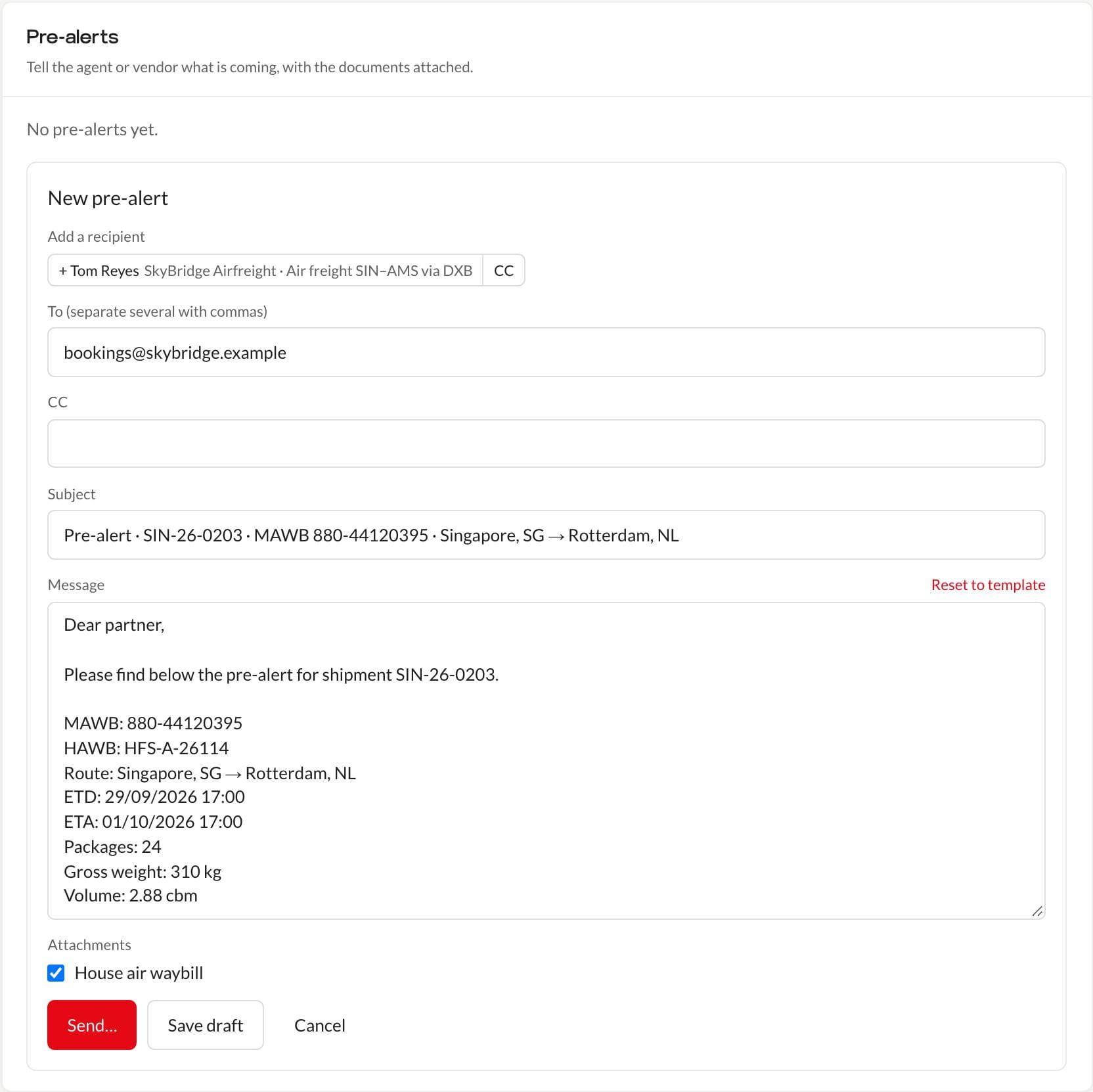
New pre-alert fills in the subject and message from the job: the reference, MAWB and HAWB or MBL and HBL, vessel and voyage, route, ETD and ETA, packages, gross weight and volume. Change anything you like; Reset to template brings the standard wording back.
- Recipients suggested from the vendors on each leg and the contacts of the job's parties
- Add each one as To or CC, or type any address
- Save it as a draft and come back to it
Documents uploaded once, attached with a tick
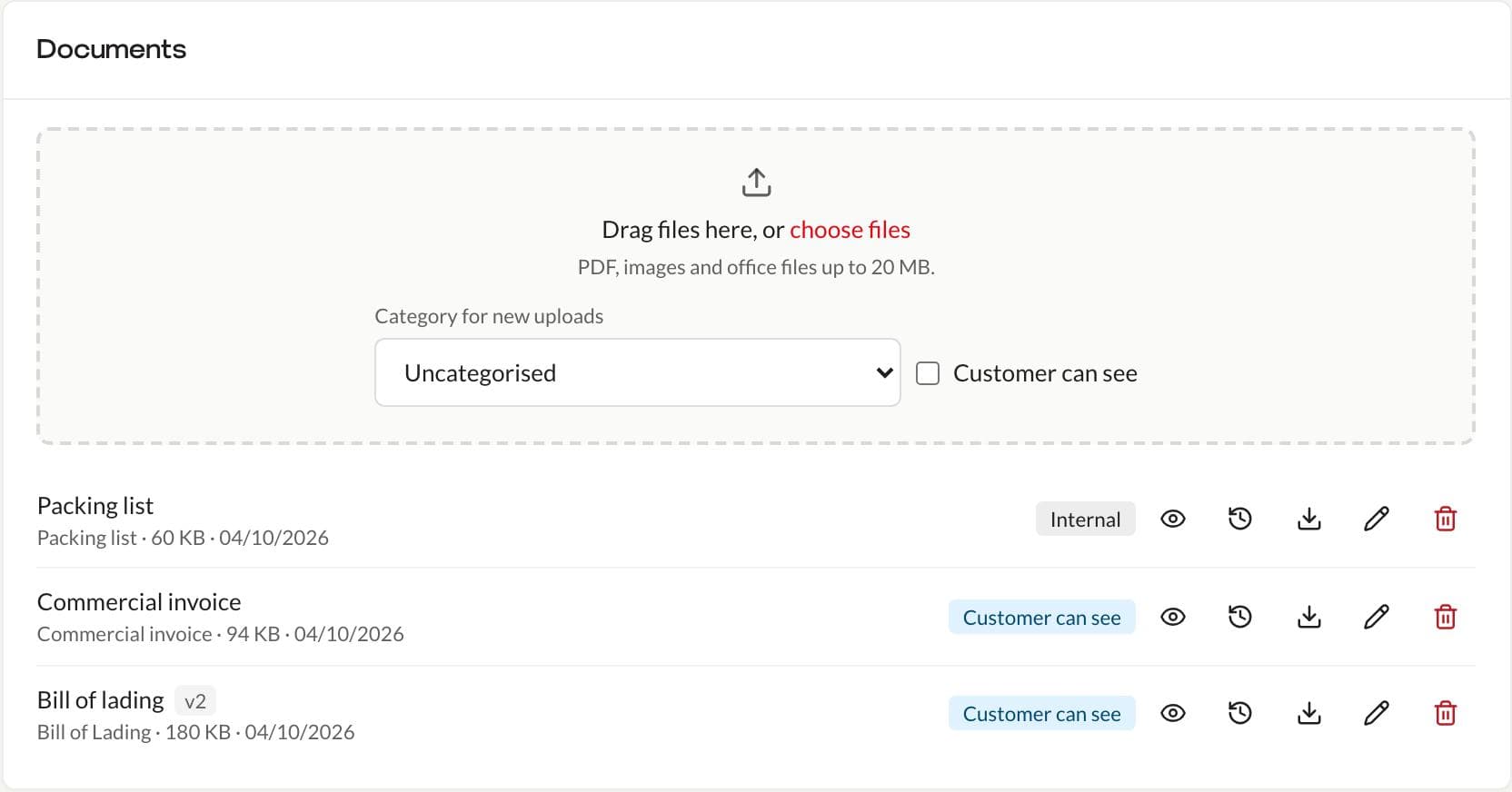
Upload the job's documents once (drag and drop PDFs, images and office files up to 20 MB), give them a category and choose whether the customer can see them. Attaching them to a pre-alert is a tick per document.
- Upload a new version without losing the old one: the newest is the one people see, earlier ones are kept
- Preview, download, rename or recategorise any document
- Documents marked for the customer also appear on the tracking page
A confirmation before sending, and a record after
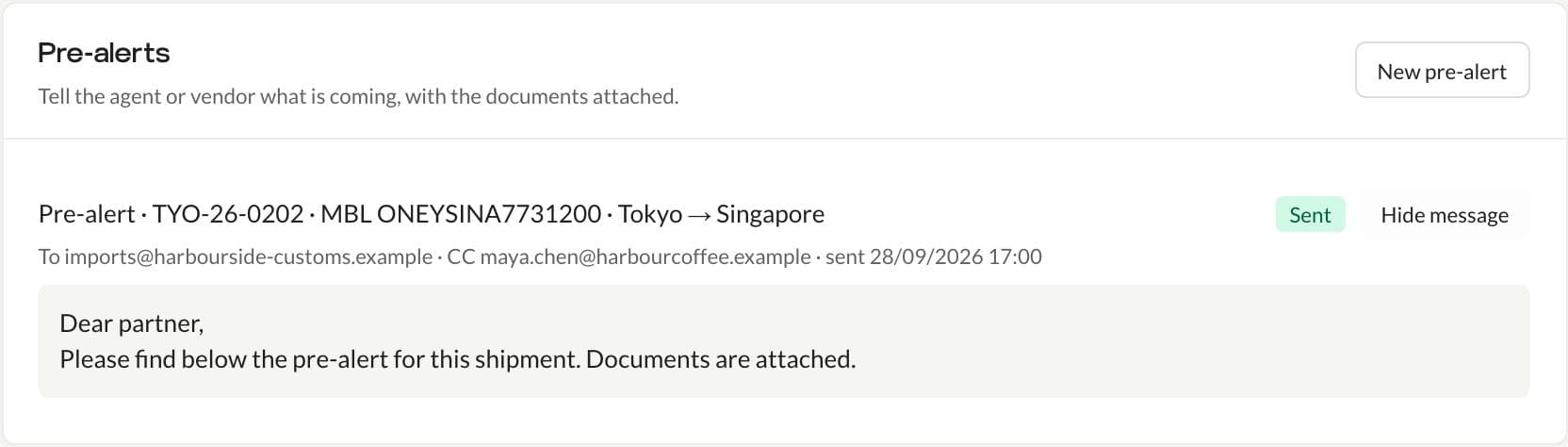
Optivis CMS asks you to confirm the recipients and attachments before a pre-alert goes. Each one stays on the job as Draft, Sent or Failed, with its recipients, the time it was sent and the full message.
- Sent through your own SMTP server if you add one, otherwise as "Your company via Optivis", with replies to your address
- My work lists booked shipments that haven't had a pre-alert yet
- Who can send pre-alerts is a permission in the roles editor
02
Questions
- What is a pre-alert?
- A pre-alert is the message a forwarder sends to the destination agent or vendor before cargo arrives, with the transport references, dates, cargo details and documents they need to clear and deliver it.
- Which address do pre-alerts come from?
- Your own mail server, if you add its SMTP details in Settings. Otherwise they're sent by Optivis as "Your company via Optivis", and replies go to your company's e-mail address.
- Can I send a pre-alert for one leg of a shipment?
- Yes. A pre-alert can be linked to a leg and its vendor, and the recipient suggestions include the contacts of every vendor on the job's legs.
- Will Optivis CMS remind me to send a pre-alert?
- Yes. Booked shipments with no pre-alert sent appear under Needs attention today on My work.
Send a pre-alert from a real job
Create a shipment, upload its documents and send your first pre-alert in a few minutes.
Early access opens soon: a 14-day free trial of Pro, no card needed