
Optivis CMSSolutionsSea freight
Sea freight jobs, with every container and bill of lading.
Optivis CMS is a cargo management system (CMS) for freight forwarders. Record the MBL and HBL, vessel and voyage, and each container with its seal, VGM and status, and charge loose cargo on weight or measure.
Early access opens soon: a 14-day free trial of Pro, no card needed
01
Sea freight in Optivis CMS
Bills of lading, vessel and ports
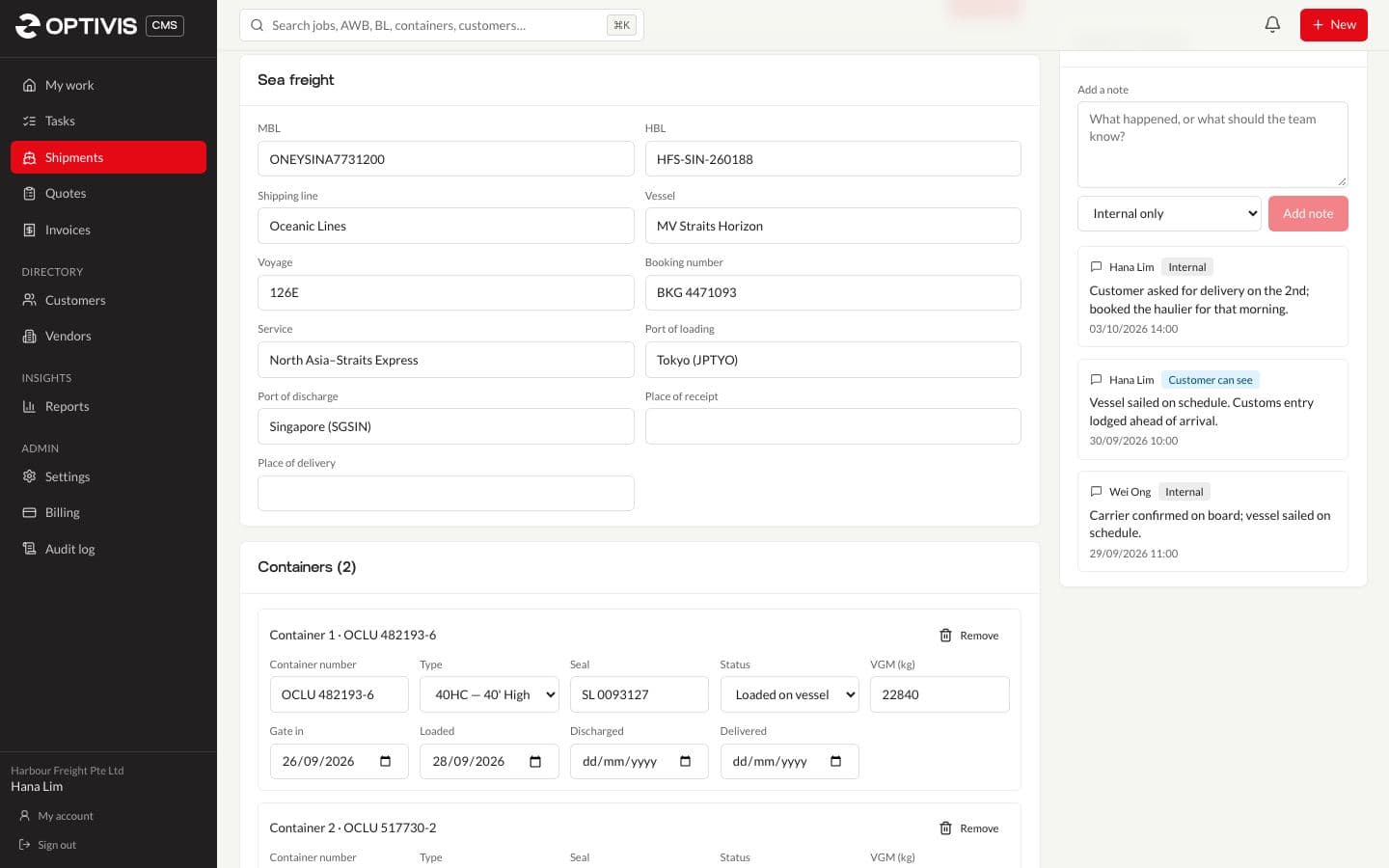
Each sea job holds its master and house bills of lading, shipping line, vessel, voyage, booking number and service, and the port of loading, port of discharge, place of receipt and place of delivery.
- Port look-up when you create the shipment
- Search finds a job by its B/L or container number
Containers for FCL, weight or measure for LCL
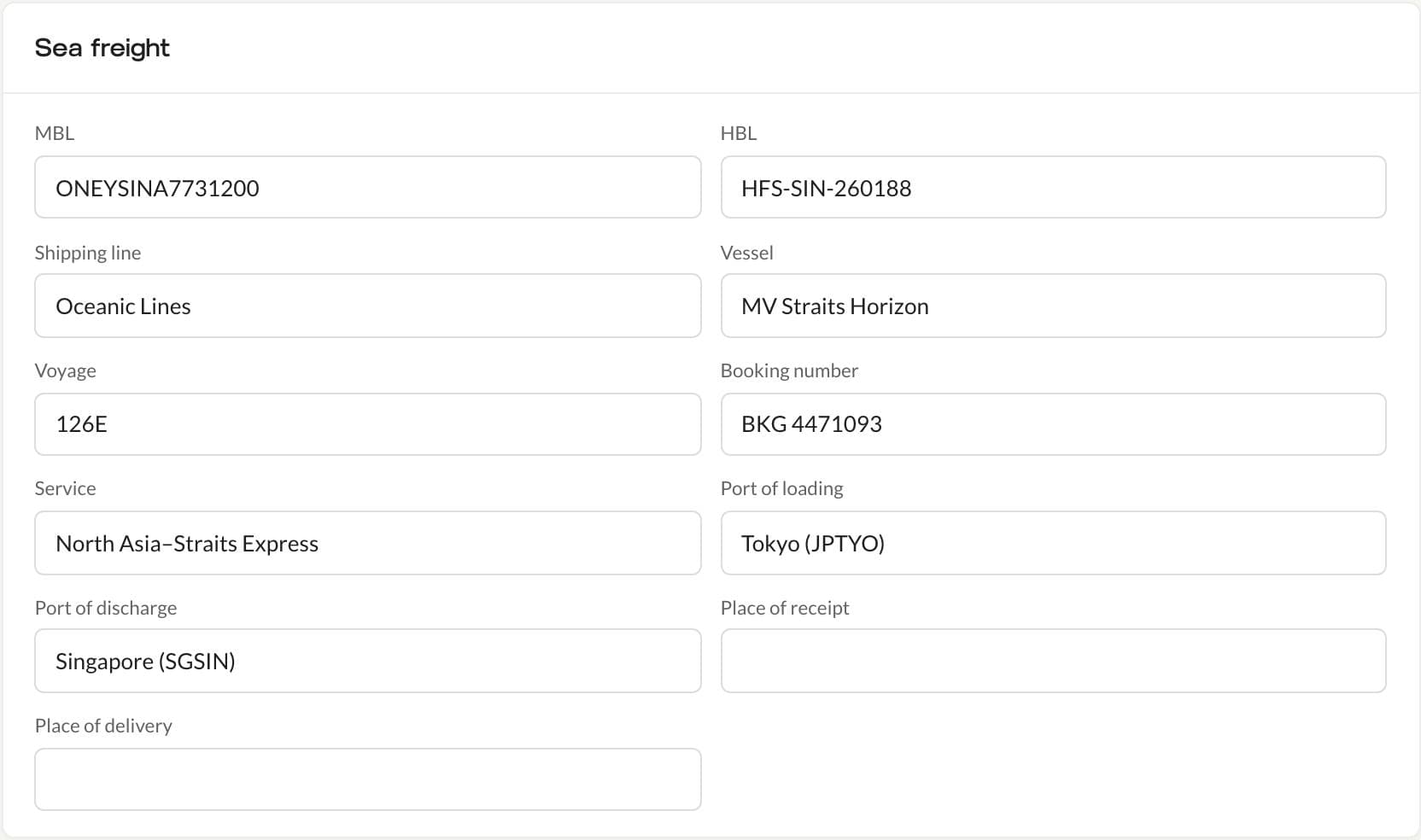
For full container loads, add each container with its number, type, seal, VGM and status, and its gate-in, loaded, discharged and delivered dates. For consolidated cargo, enter cargo lines in cbm: the shipment form shows the chargeable figure as weight or measure (W/M), the greater of tonnes and cubic metres.
- Container types 20GP, 40GP, 40HC, 45HC, 20RF and 40RF to start with; add your own in Settings
- Container status from empty and packed to gated in, loaded on vessel, discharged, customs released, delivered and empty returned
Sea milestones, created for you
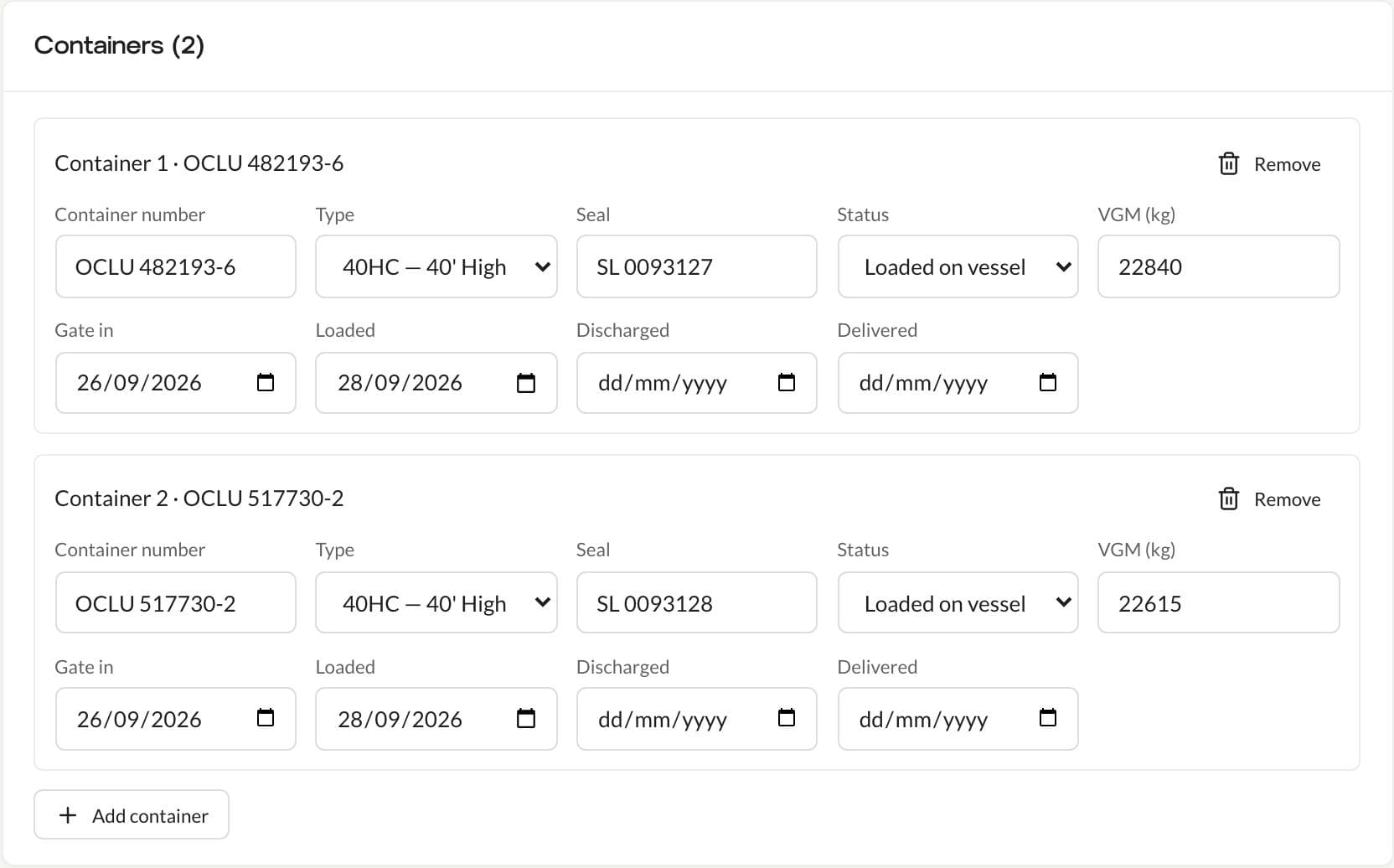
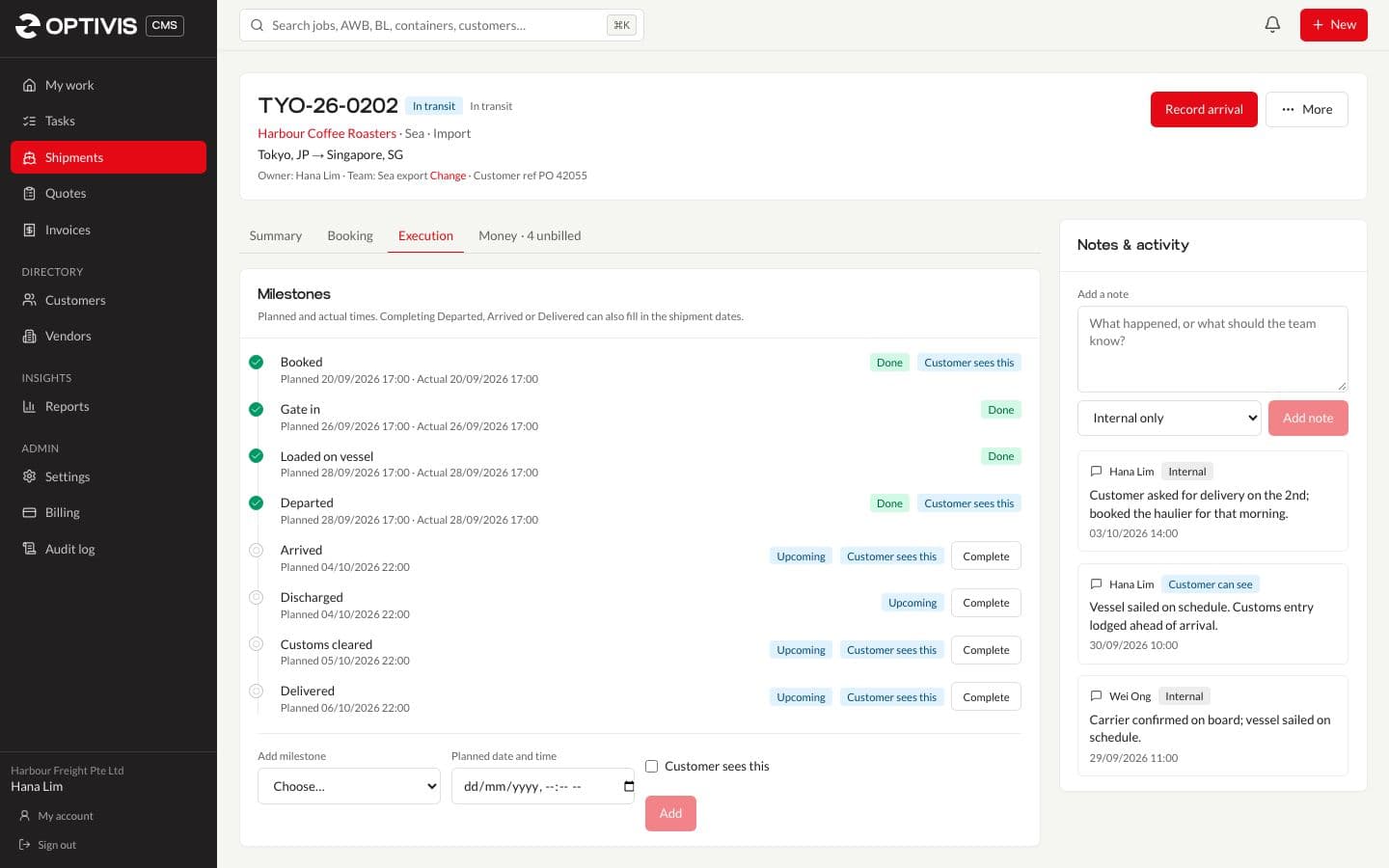
A new sea shipment gets the usual sea milestones, planned from its dates: booked, gate in, loaded on vessel, departed, arrived, discharged, customs cleared and delivered. Customers see the ones that matter to them on the tracking page.
Pre-alerts with the MBL, HBL and vessel
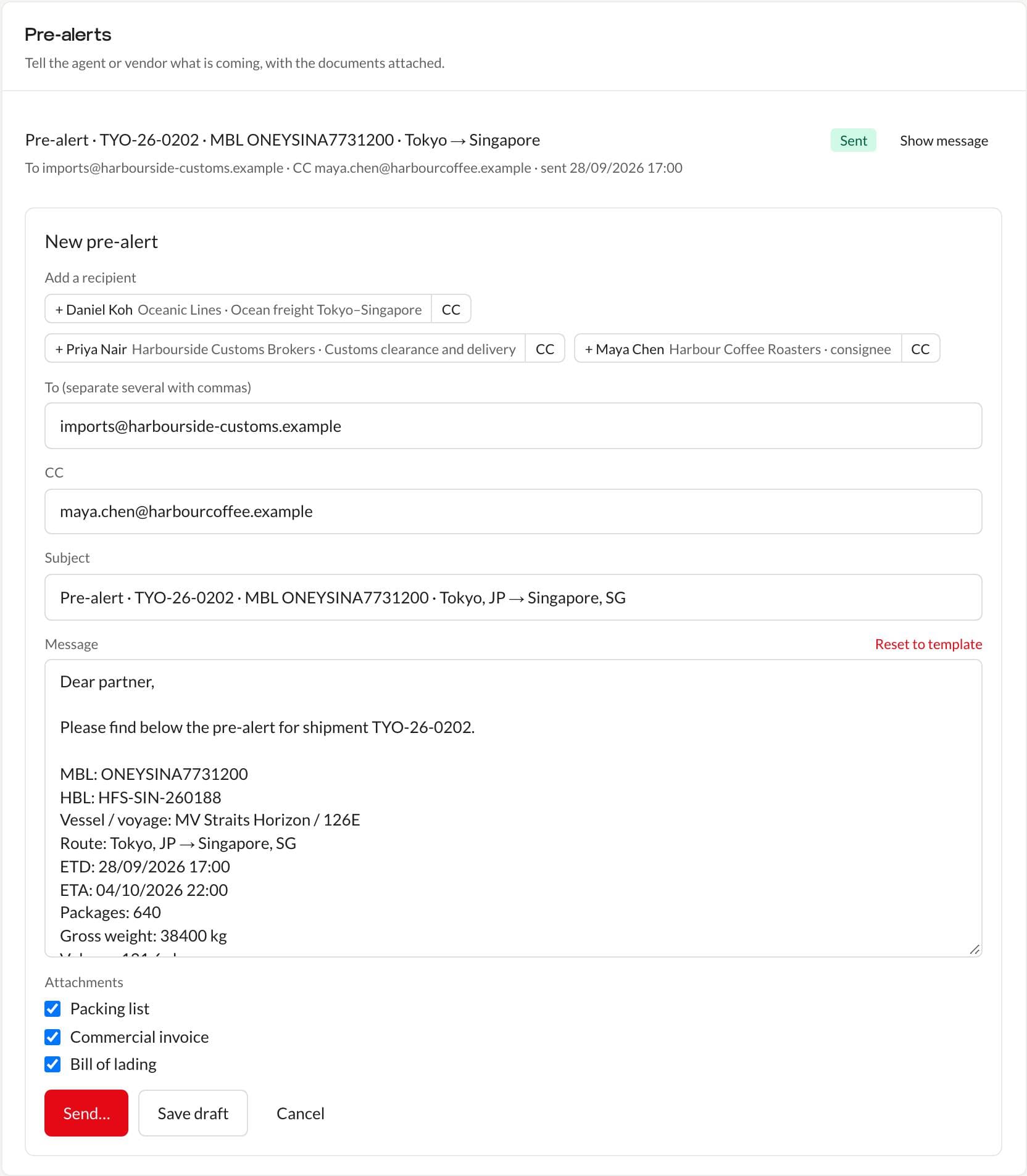
A sea pre-alert lists the MBL, HBL, vessel and voyage, route, ETD, ETA, packages, gross weight and volume, and attaches the bill of lading, commercial invoice and packing list from the job.
02
Questions
- Can Optivis CMS handle both FCL and LCL?
- Yes. Record full containers one by one with their numbers, seals and VGM; for consolidated cargo, enter the cargo lines in cbm and the shipment form shows the W/M figure.
- Does it track vessels automatically?
- No. You record departure, arrival and milestones; there are no shipping line or vessel tracking integrations today.
- Can I add our own container types?
- Yes. Container types are one of the lists you manage in Settings, alongside statuses, charge categories, document categories and locations.
Put your next sailing in Optivis CMS
Add the bills of lading and containers once, and the pre-alert and tracking page use them.
Early access opens soon: a 14-day free trial of Pro, no card needed